Loading ...
Login
/
Sign up
EN
Laos
English
Tiếng Việt
About Us
Livescore
Release Note
Contact Us
FAQs
Login
Sign up
Follow us:
Download and install apps
Home
FAQs
Golf GPS
How to check your course handicap while using GPS
Wed, 31 Dec 2025 11:25:28 +0700
Open
LaosGolf
.
Tap on
Golf GPS | Handicap
.
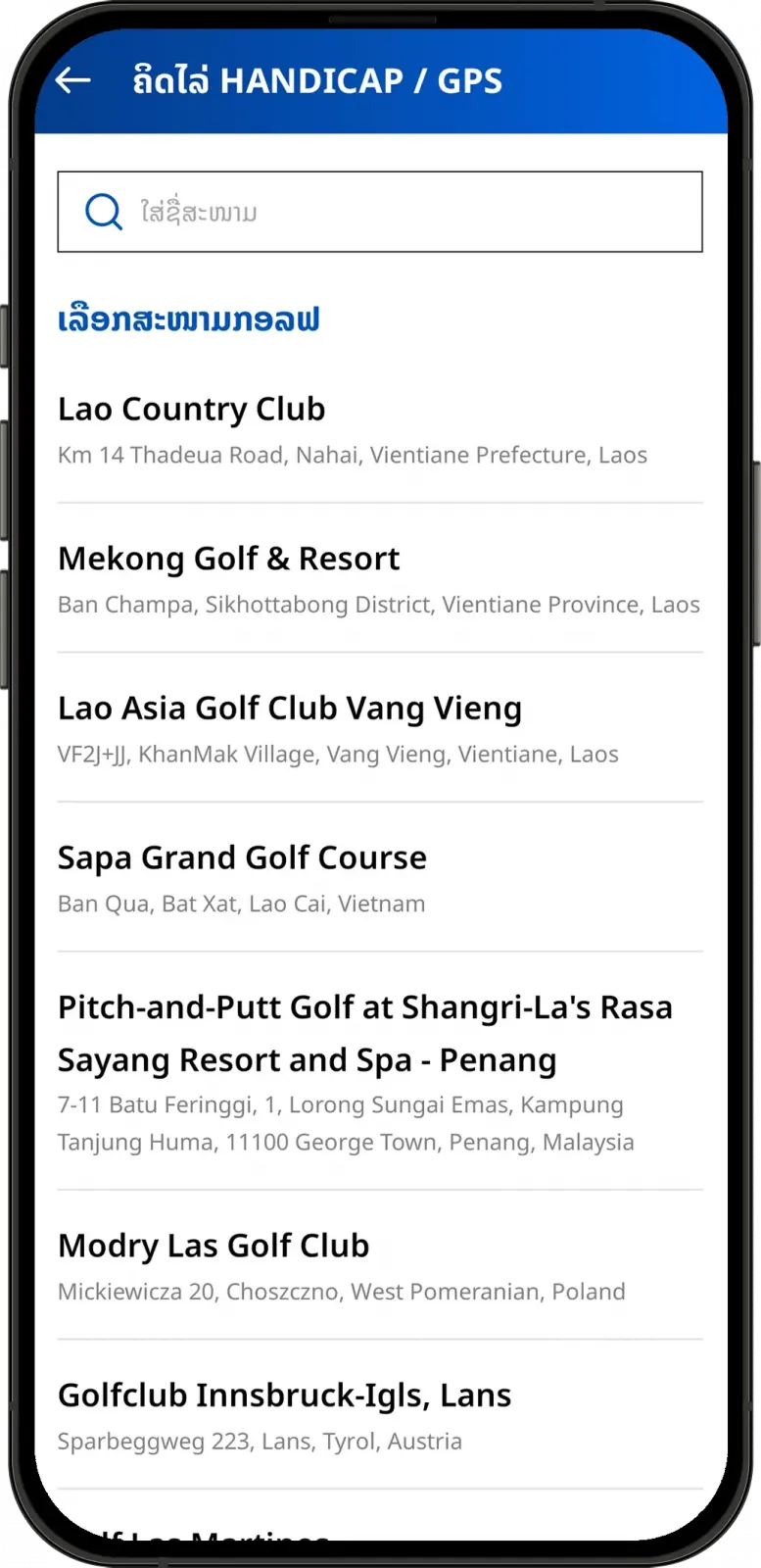
Choose the golf course or enter the course name in search bar.
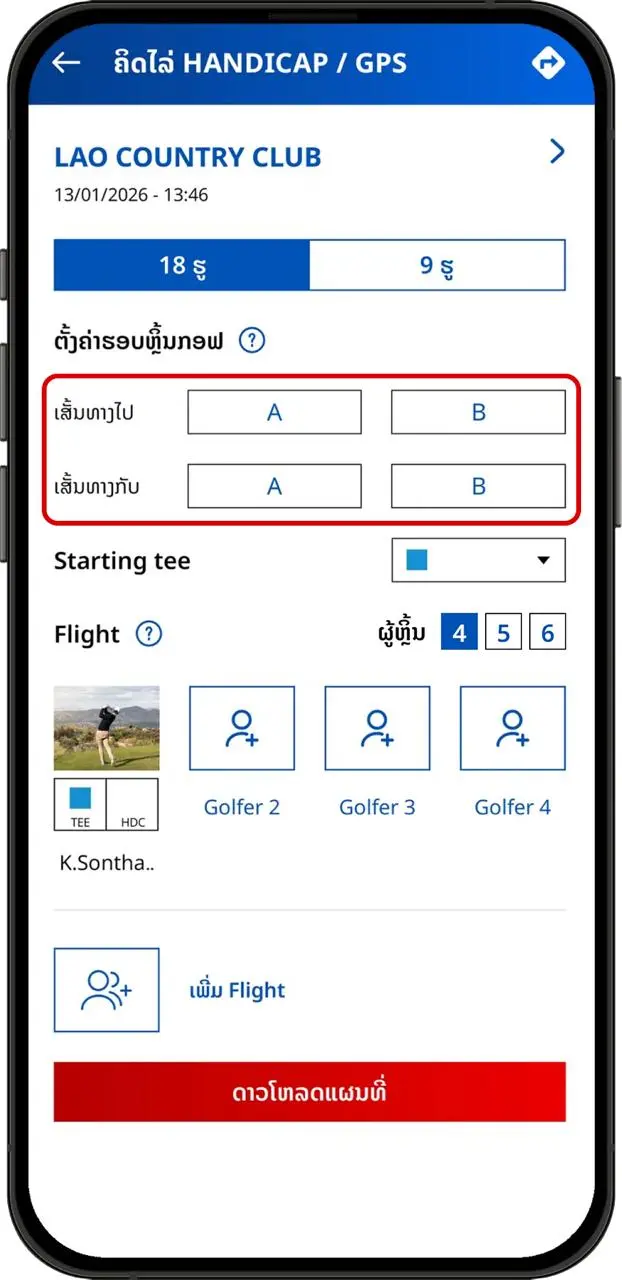
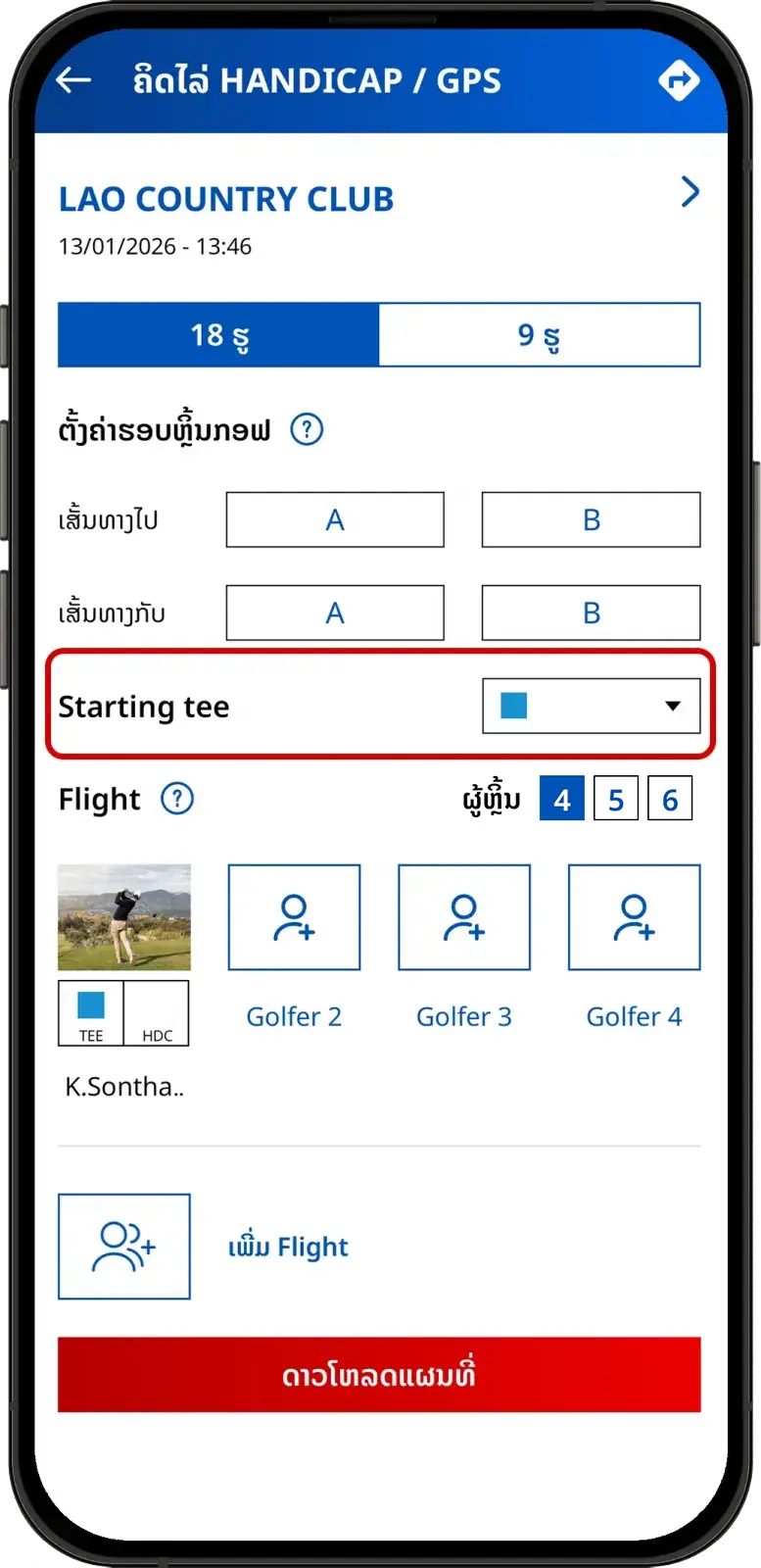
Set up your round and select tee. Your course handicap will be displayed right after you choose your preferred tee.
If you change to another tee, your course handicap will change accordingly.
Can't find the answers you're looking for? We’re here to
help
.
Share
this post
:
FAQs
Golf GPS
Community
Account
Apple Watch
WHS
Others