Laosgolf Loading
Loading ...

How to create golf calendar

Wed, 31 Dec 2025 11:25:41 +0700
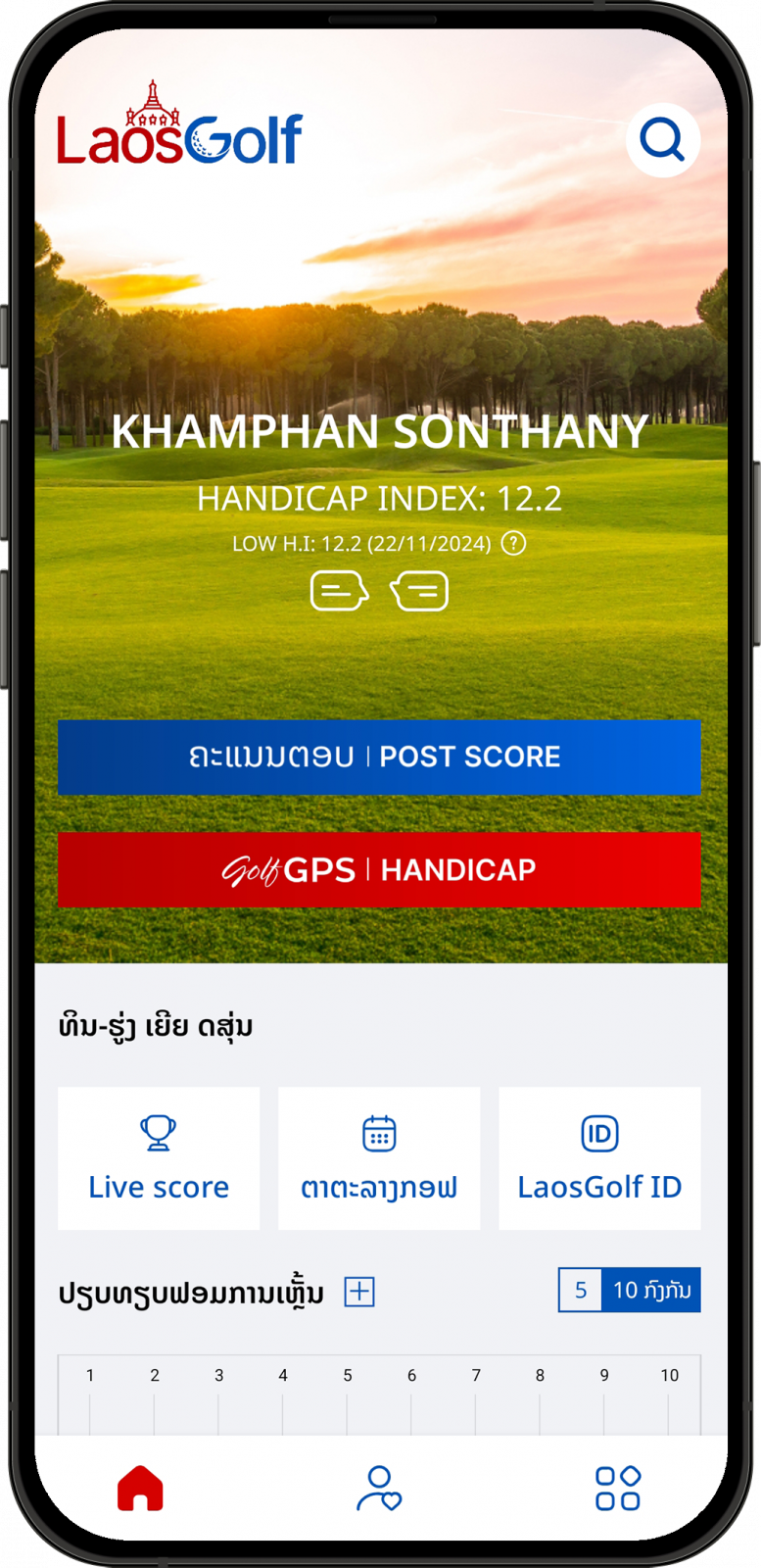
  • 1. Open LaosGolf app.
  • 2. Tap on User profile icon to go to your profile page.
    User profile page in the LaosGolf mobile app for golfers in Laos
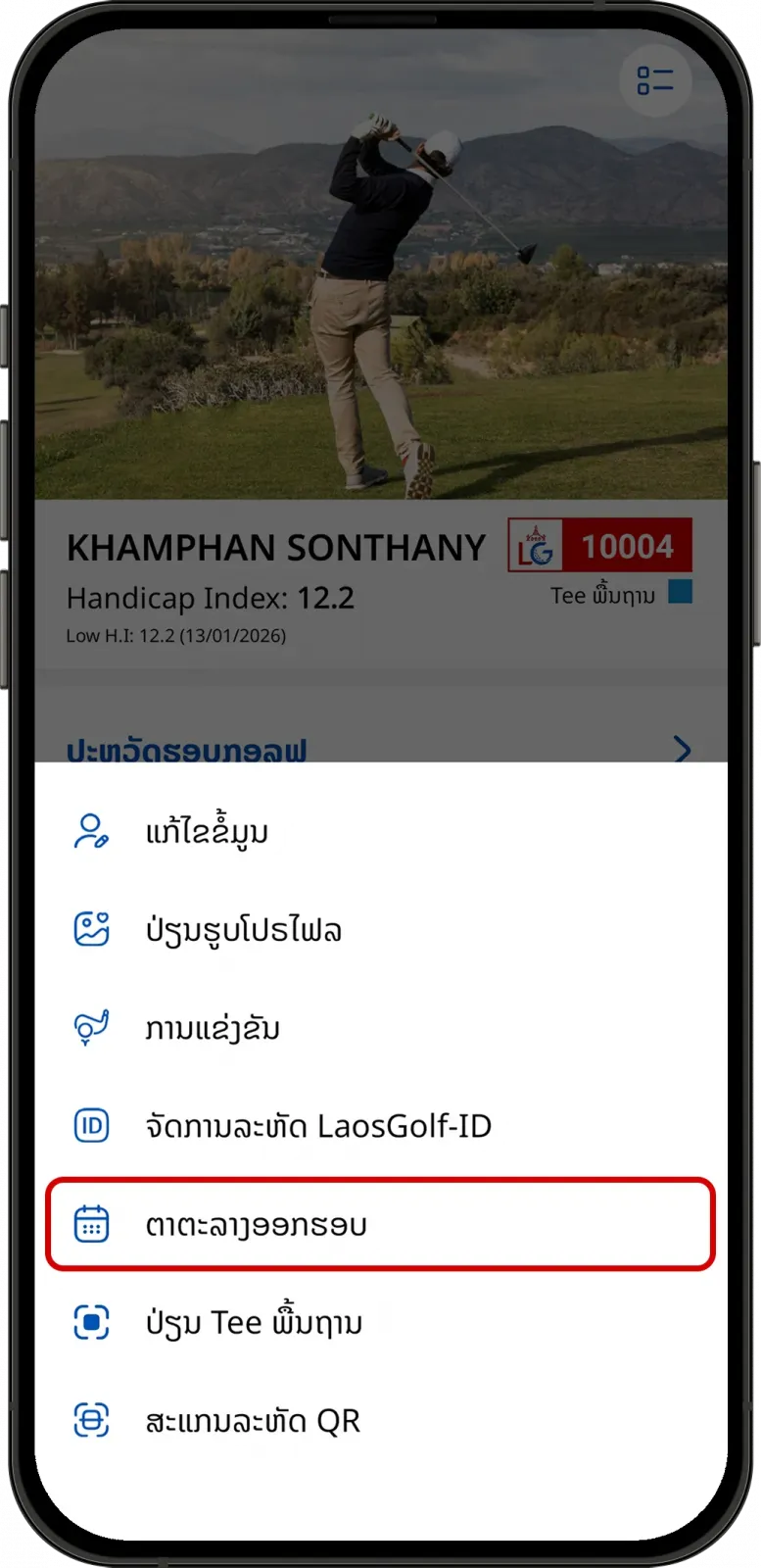
  • 3. Tap on More options menu icon in the LaosGolf app
    Round history and menu options screen in the LaosGolf app
  • 4. Tap on “Golf Calendar”.
    Golf Calendar menu in the LaosGolf app for managing golf events in Laos
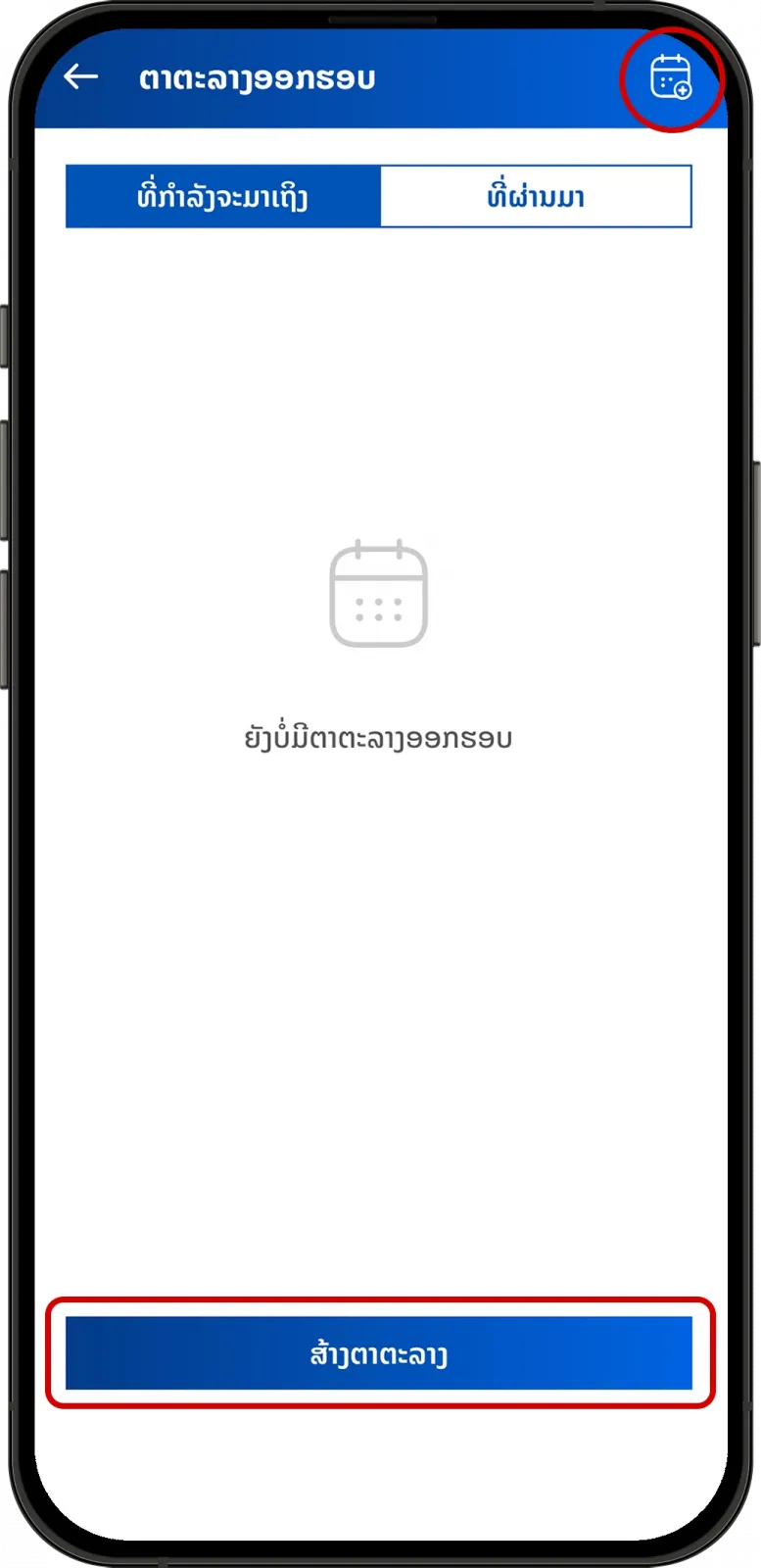
  • 5. Tap on Calendar icon used to create a new golf event or "Create".
    Create golf calendar button in the LaosGolf app
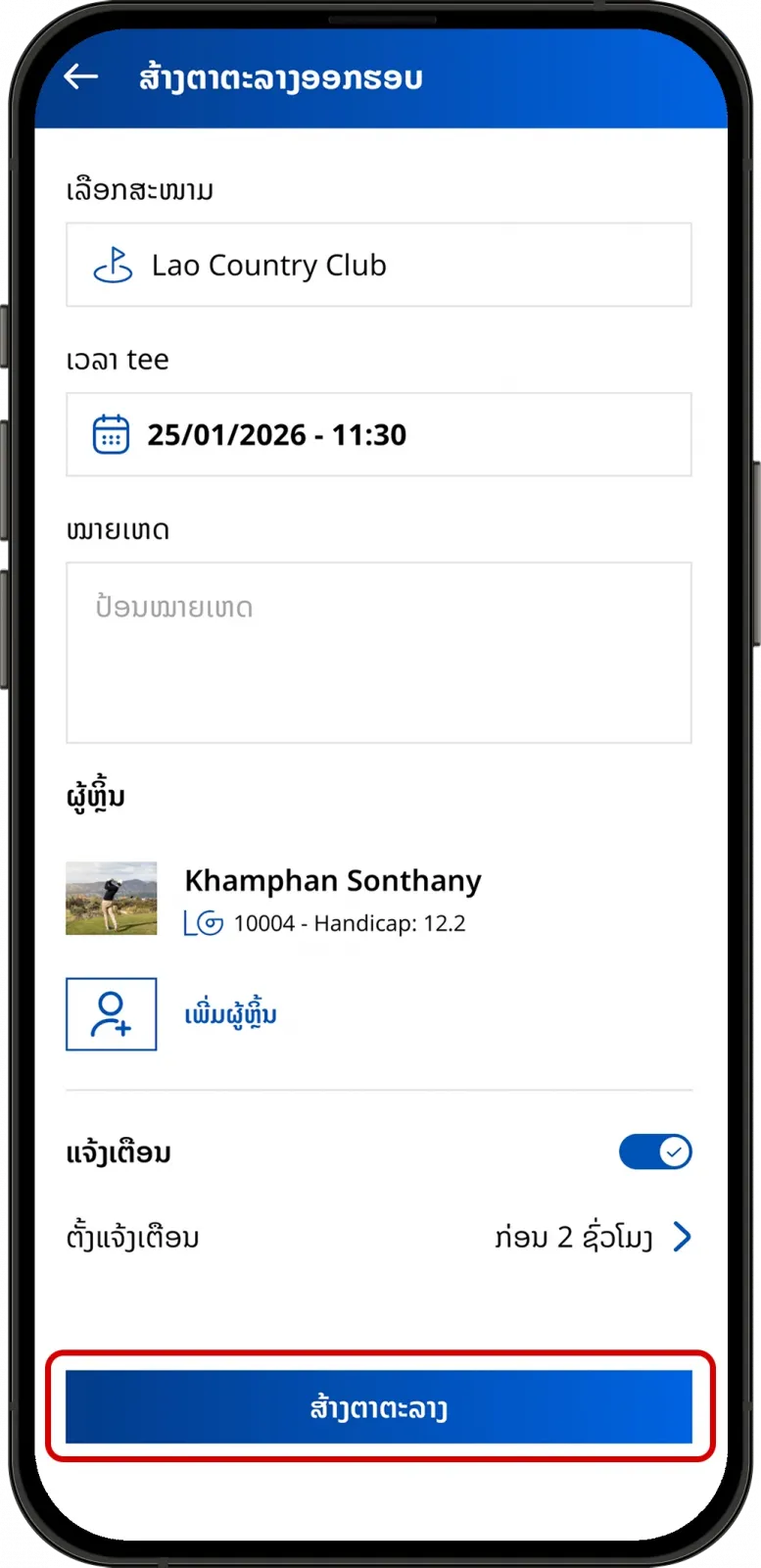
  • 6. Fill in the required information and tap “Create”.
    Golf calendar creation form in the LaosGolf app
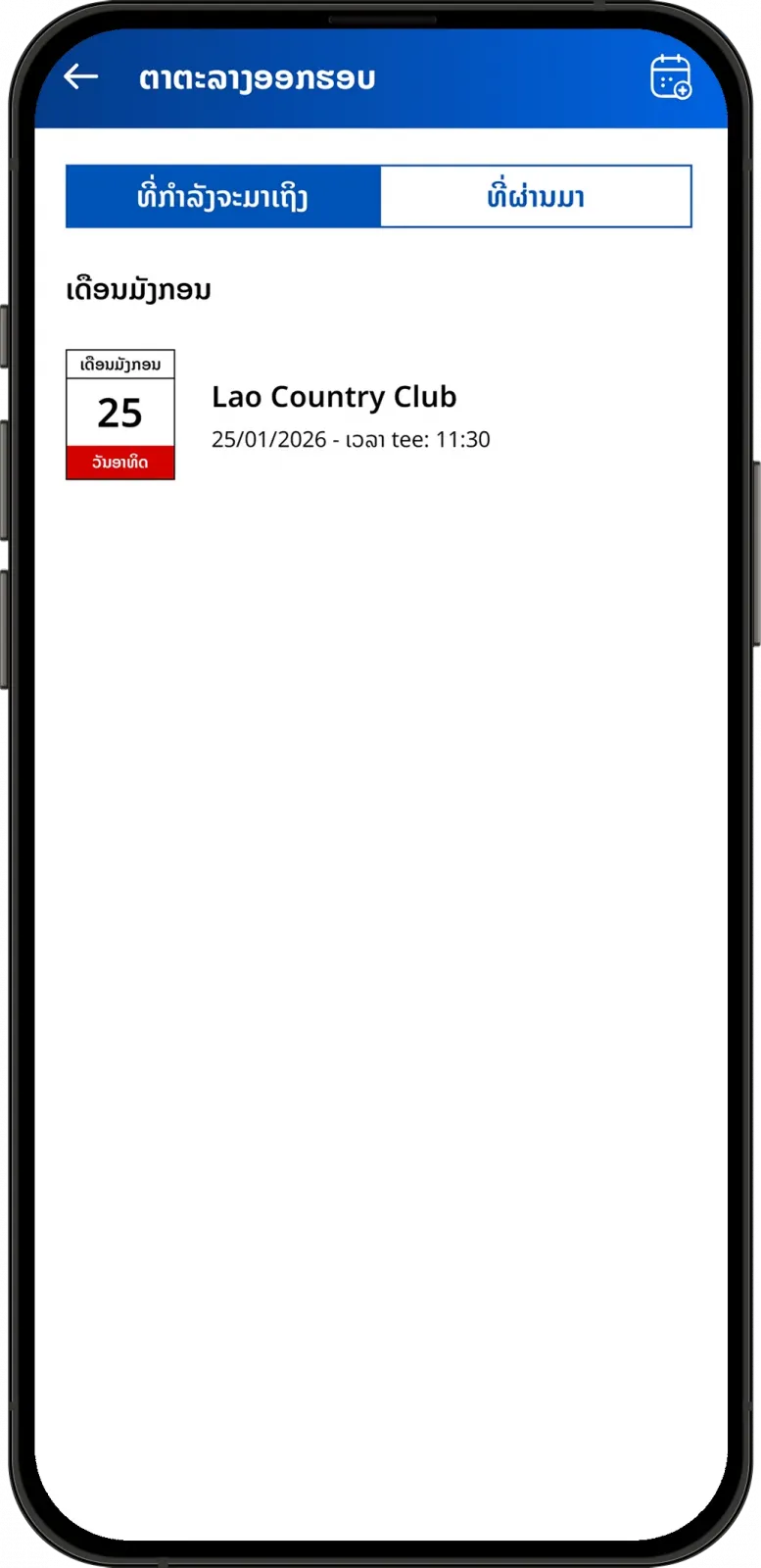
  • 7. Your golf calendar has been successfully created.
    Confirmation screen showing a successfully created golf calendar in LaosGolf
Can't find the answers you're looking for? We’re here to help.