Laosgolf Loading
Loading ...

How to manually input your score

Wed, 31 Dec 2025 11:25:06 +0700
This feature is designed for rounds of two or more golfers. After you enter the scores, LaosGolf will send a score confirmation request to your playing partner(s).
  • Open LaosGolf app.
  • Tap on “Enter Score”.
Open LaosGolf app and tap Enter Score
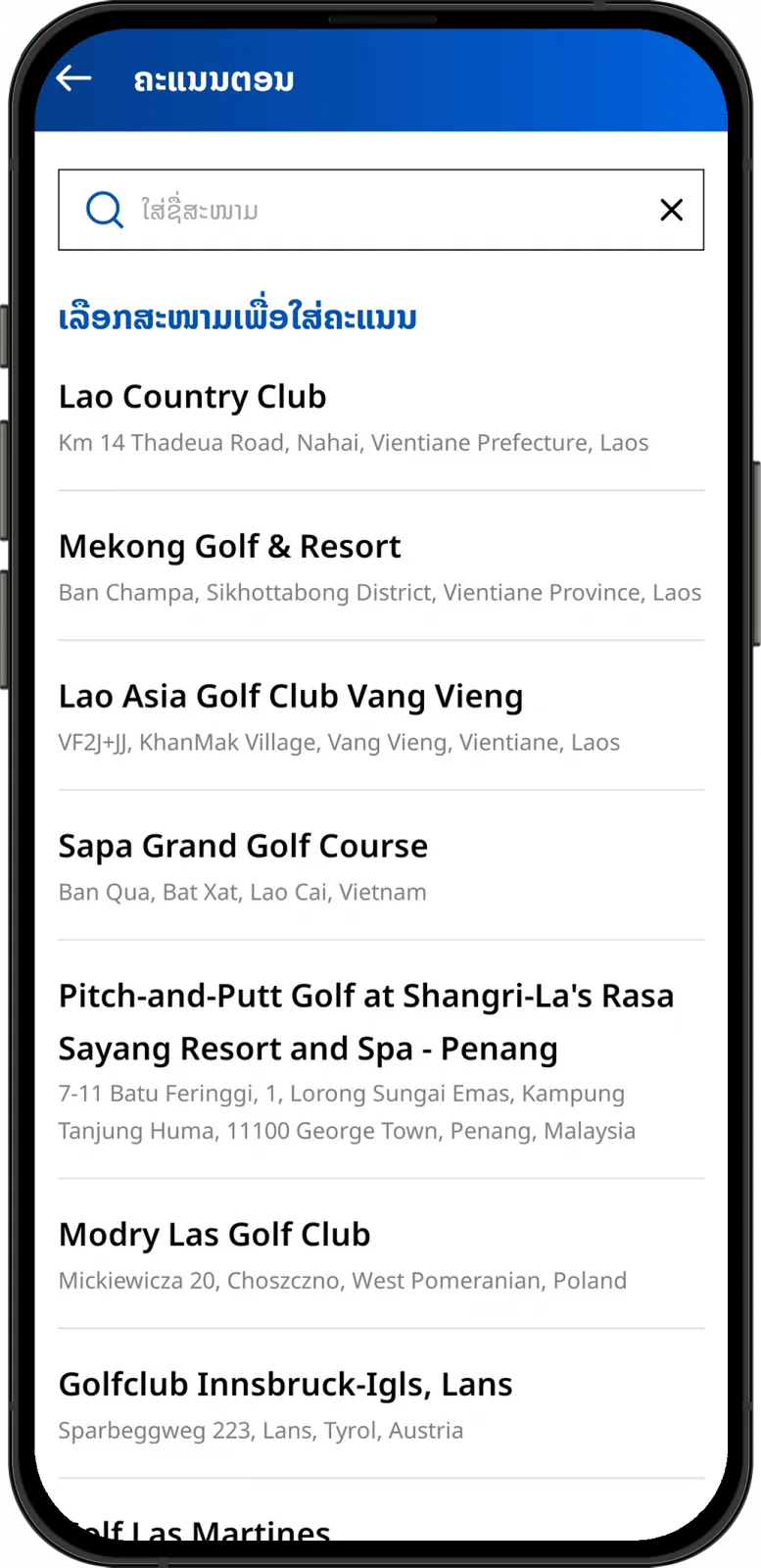
  • Choose golf course.
Select golf course for score entry in LaosGolf
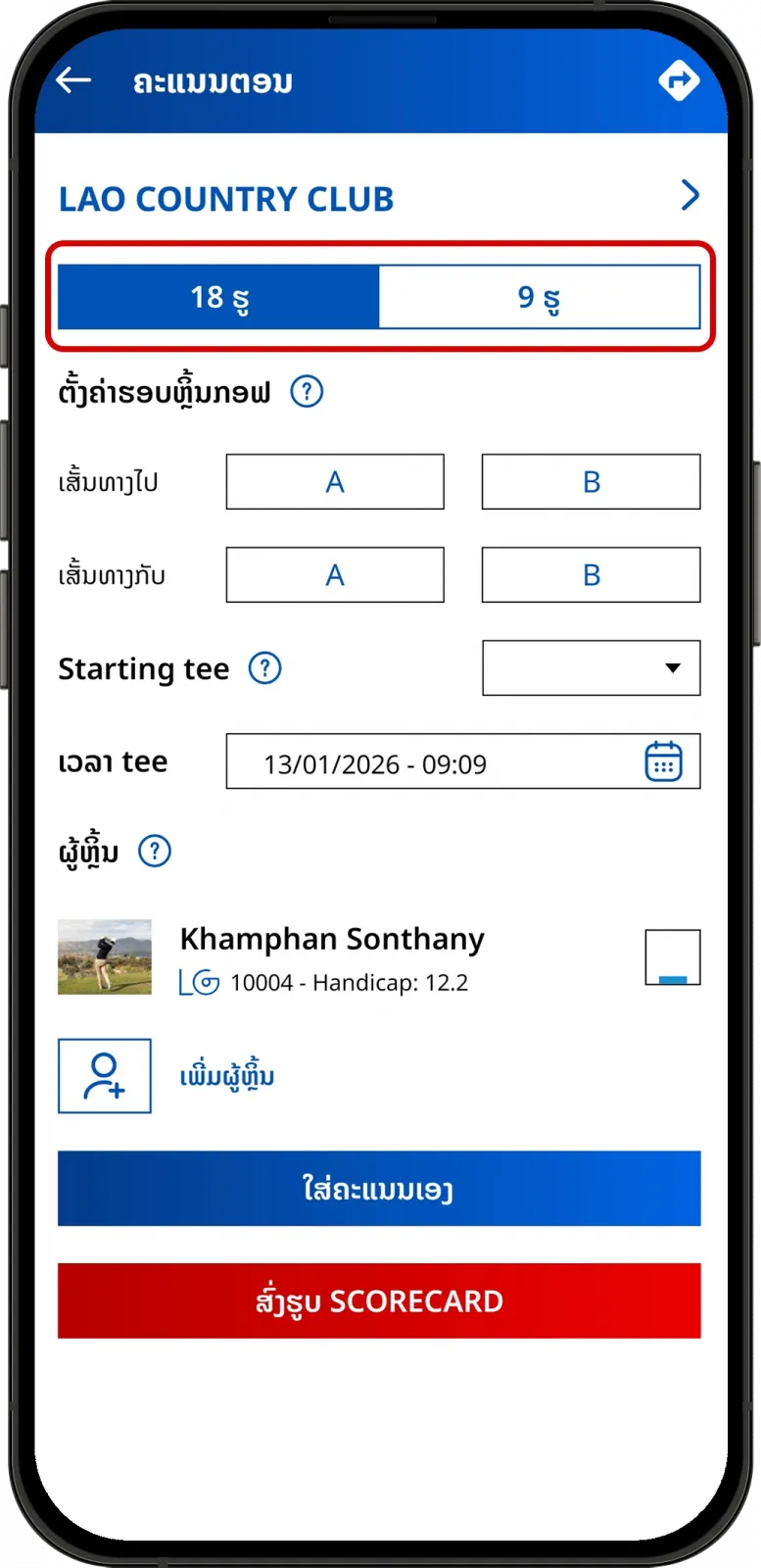
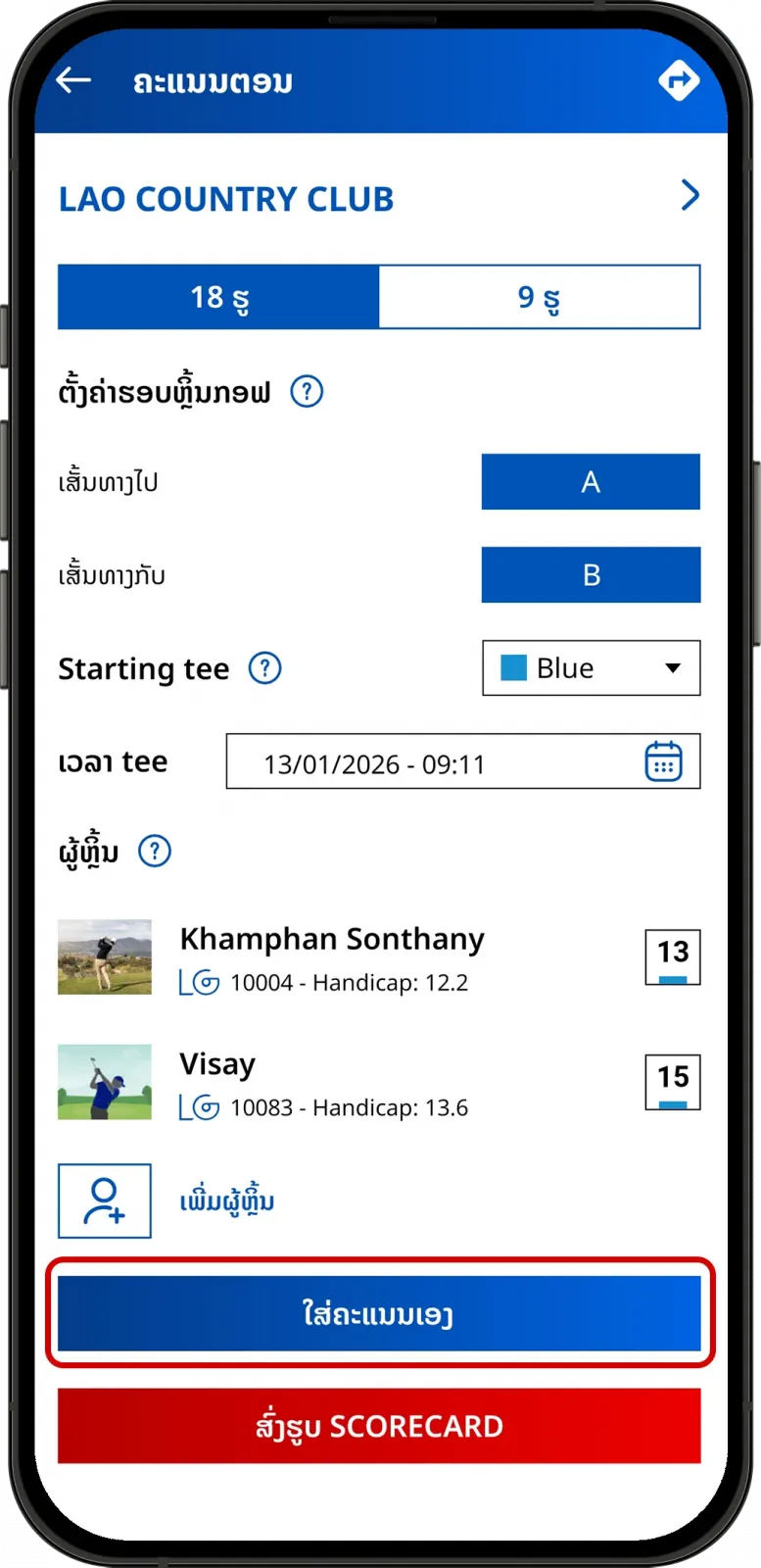
  • Specify your round detail.
Choose round details in LaosGolf app
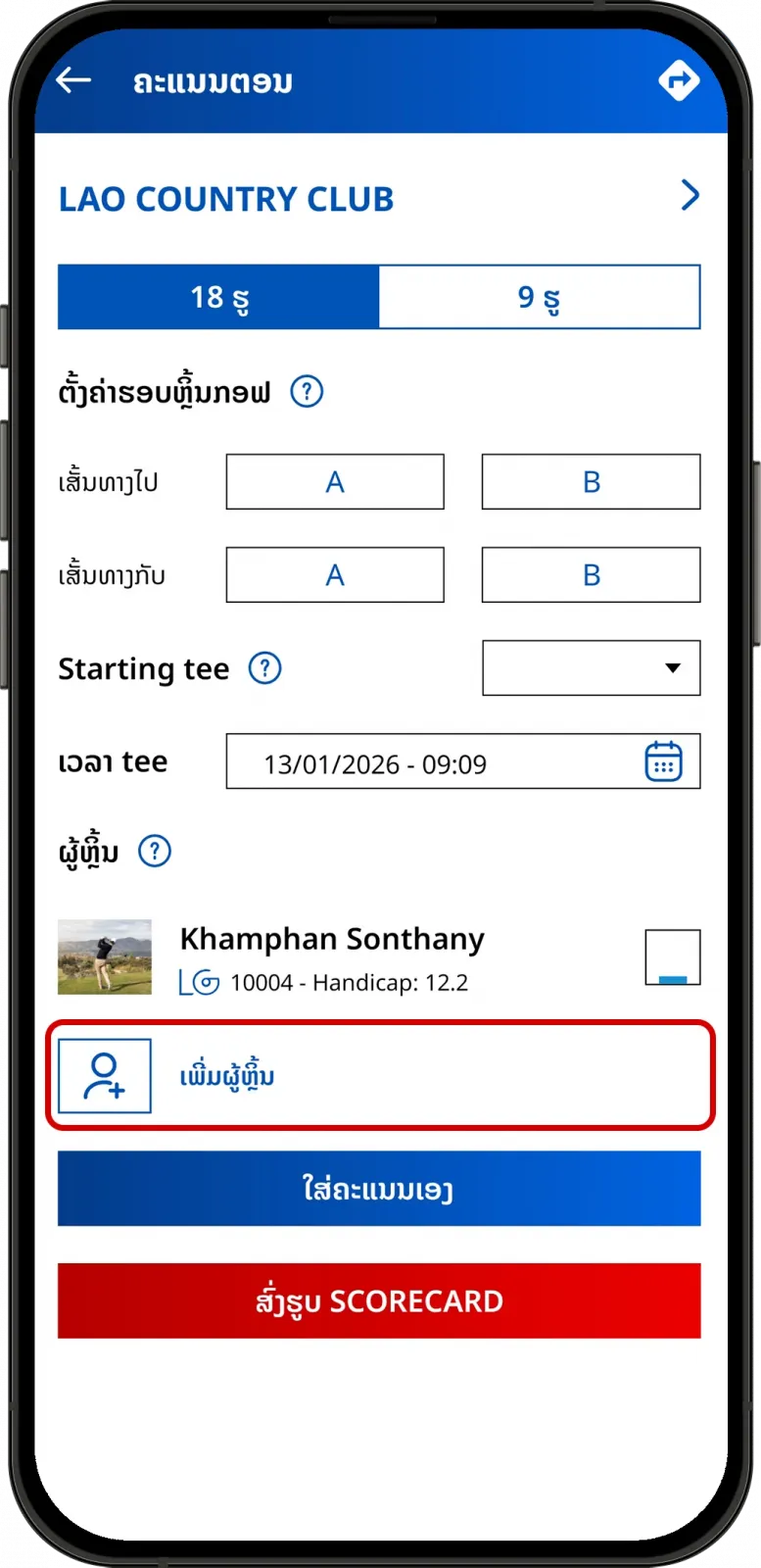
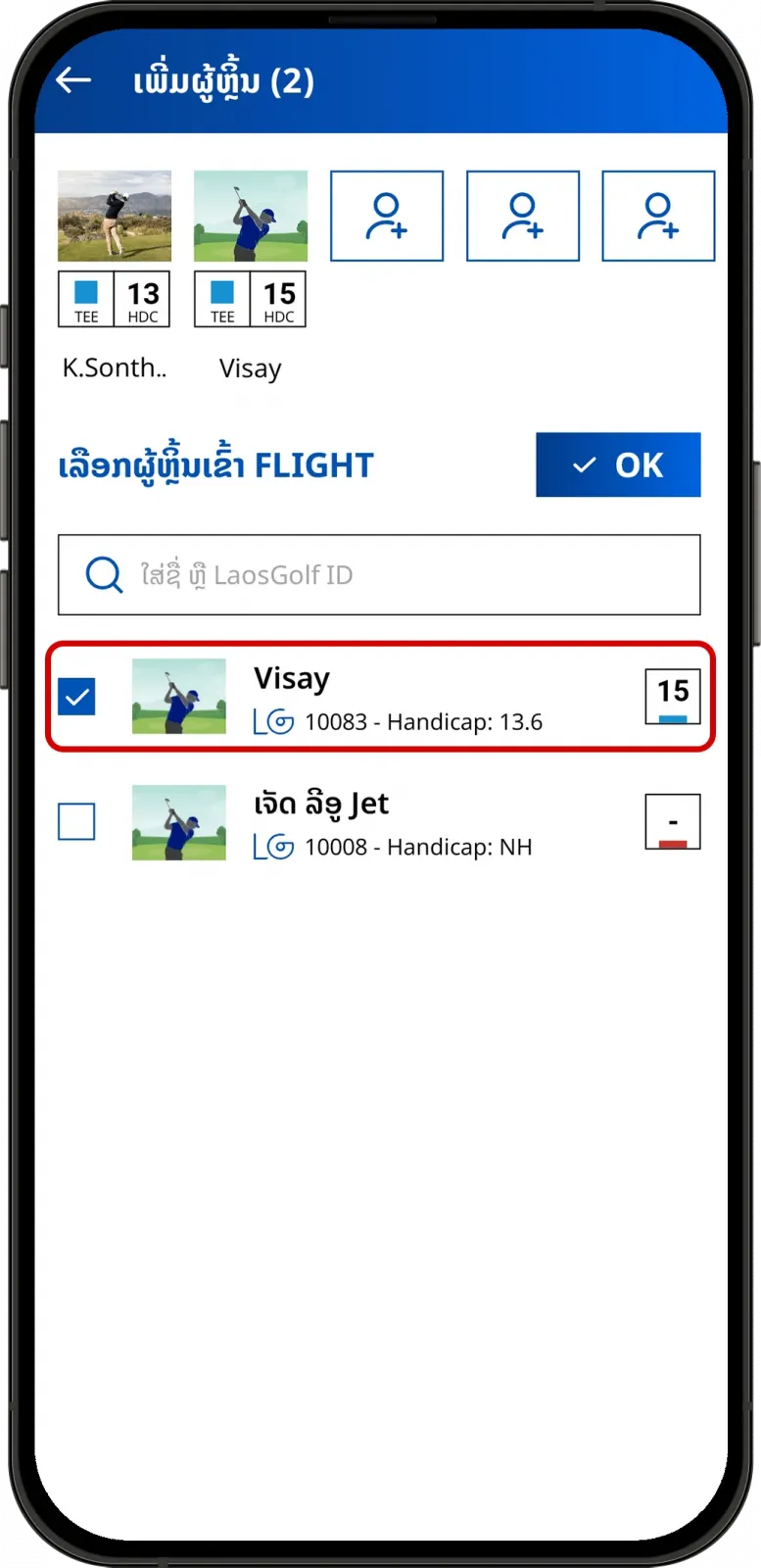
  • Add player.
Add playing partners in LaosGolf
Confirm players added to the round
  • Tap on "Quick Enter".
Quick Enter score input option in LaosGolf
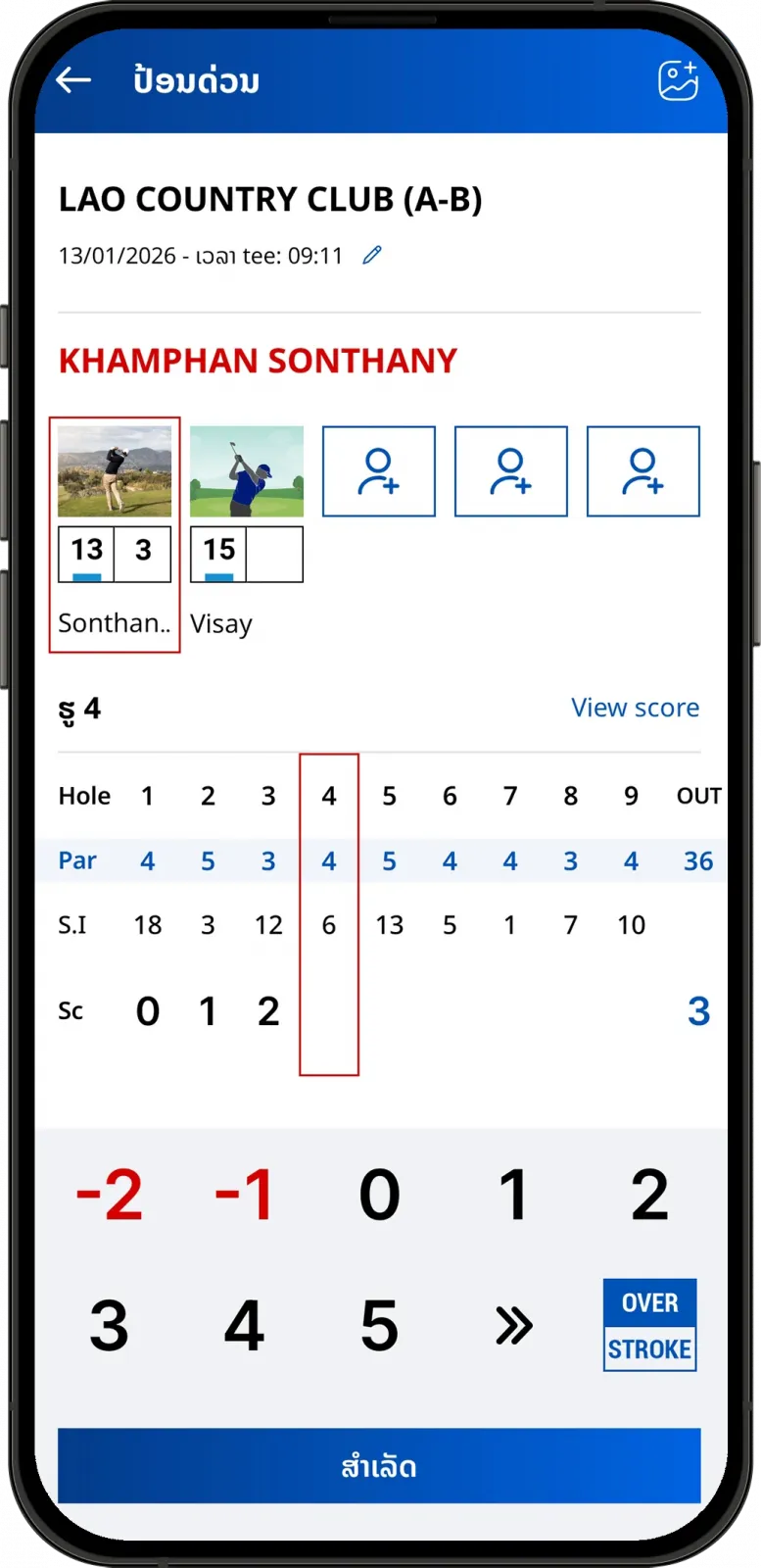
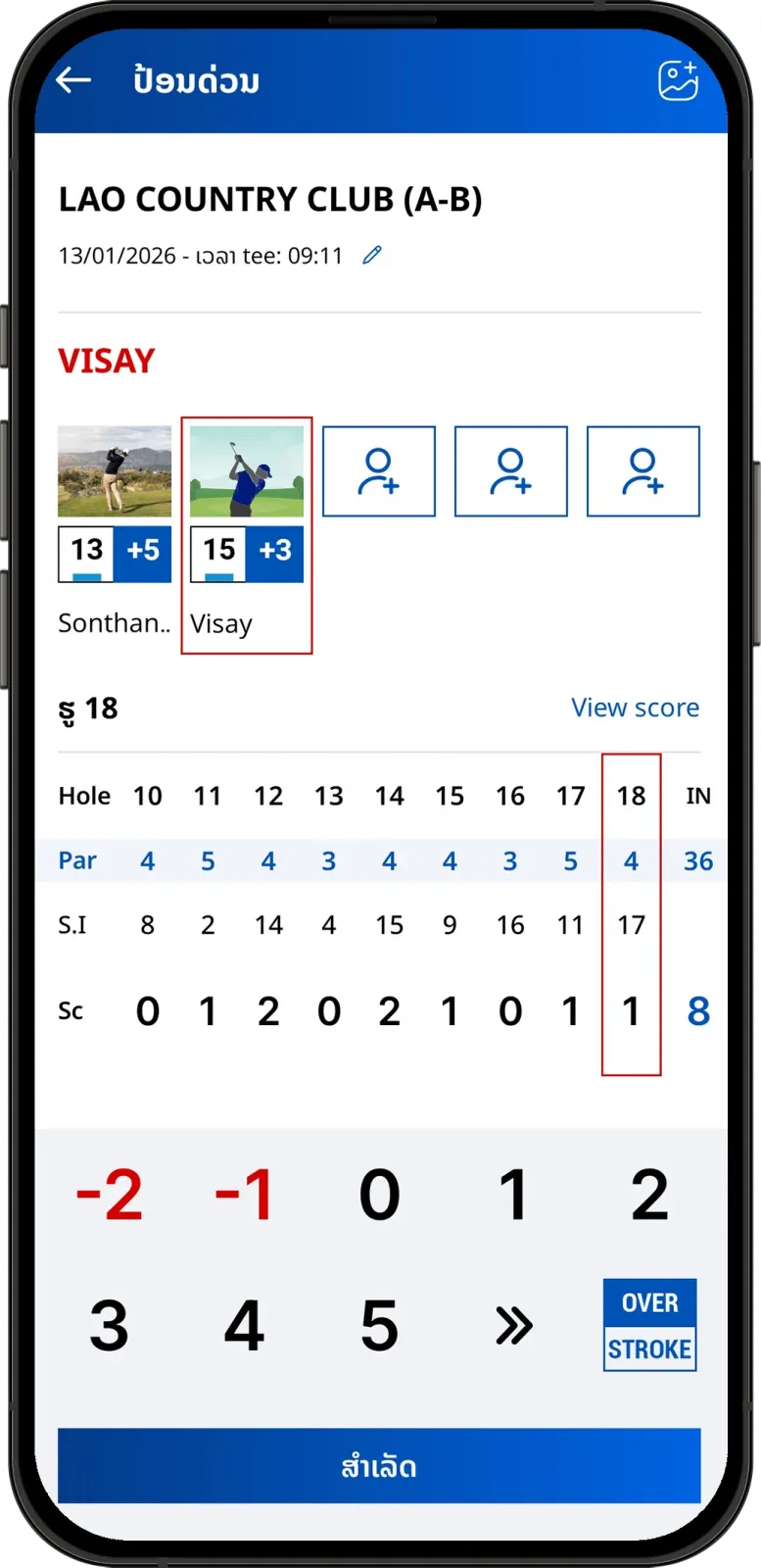
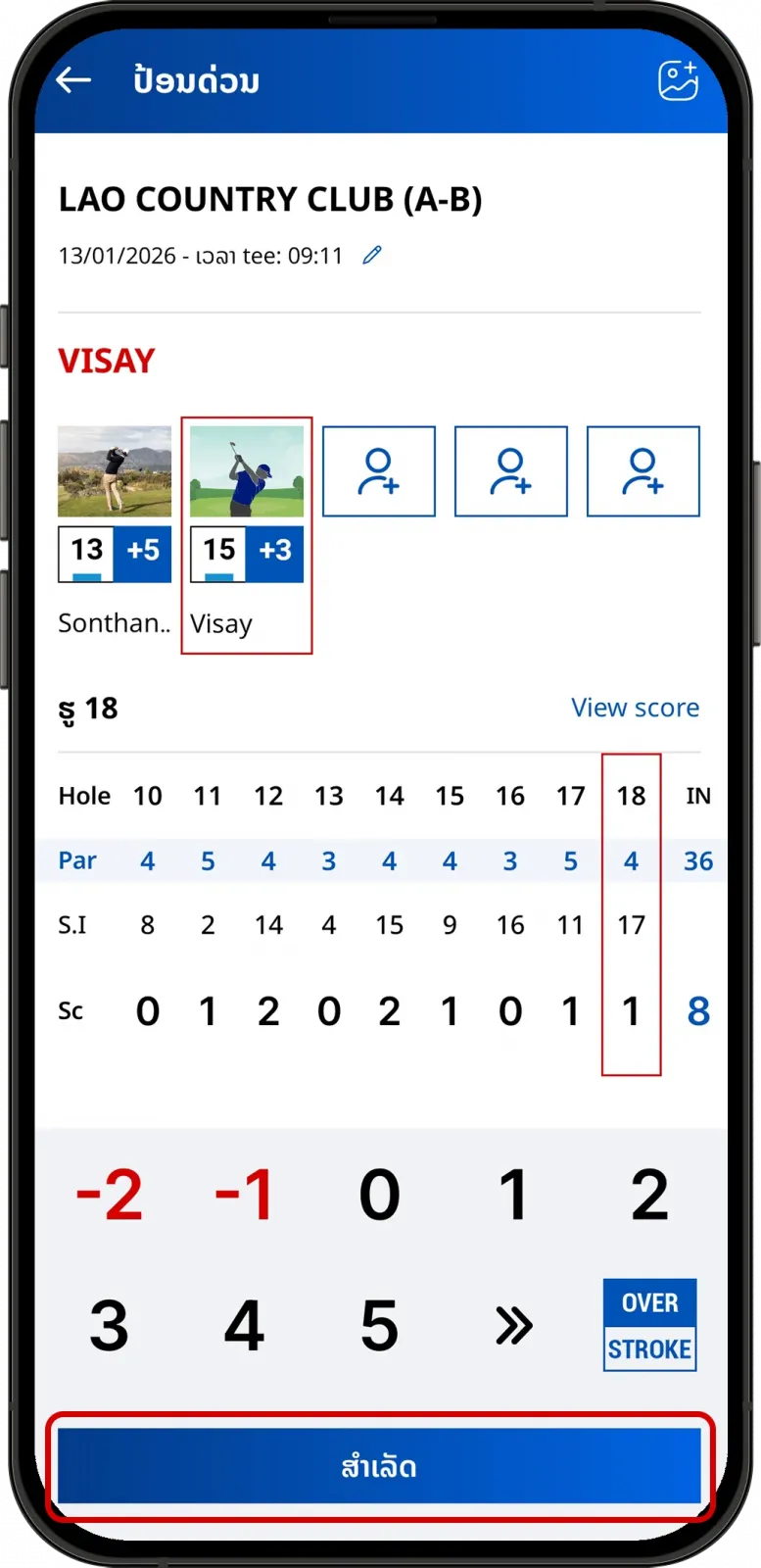
  • Enter the scores for you and your friends and tap on "Done" to finish.
Enter golf scores for multiple players
Review entered golf scores before submission
  • Submit score and wait for confirmation.
Submit golf score in LaosGolf app
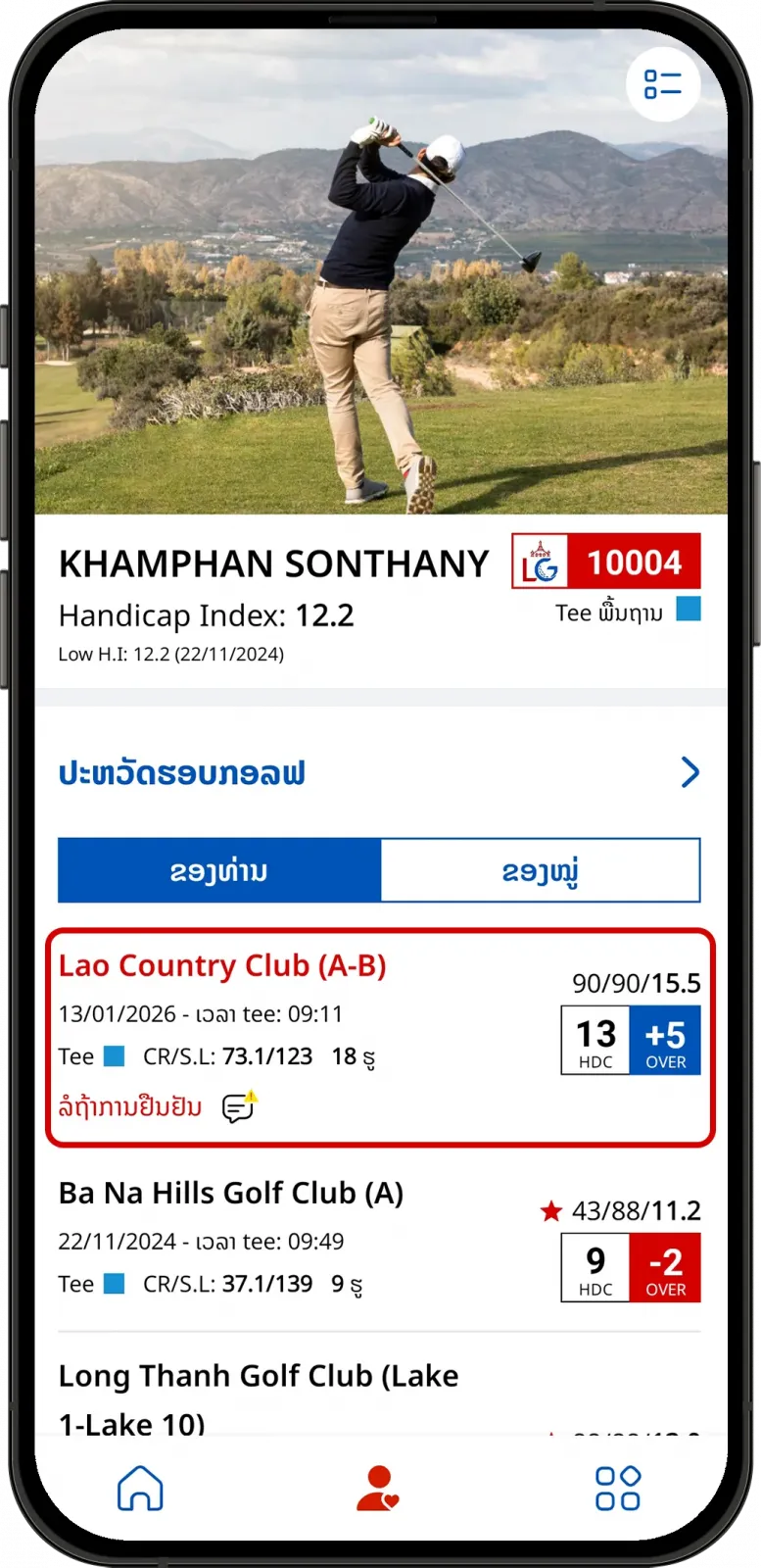
Score confirmation request sent to playing partners
Can't find the answers you're looking for? We’re here to help.