Loading ...
Login
/
Sign up
EN
Laos
English
Tiếng Việt
About Us
Livescore
Release Note
Contact Us
FAQs
Login
Sign up
Follow us:
Download and install apps
Home
FAQs
Account
How to submitting a Scorecard photo to update your round history
Wed, 31 Dec 2025 11:25:07 +0700
Open
LaosGolf
app.
Tap on “
Post Score
”.
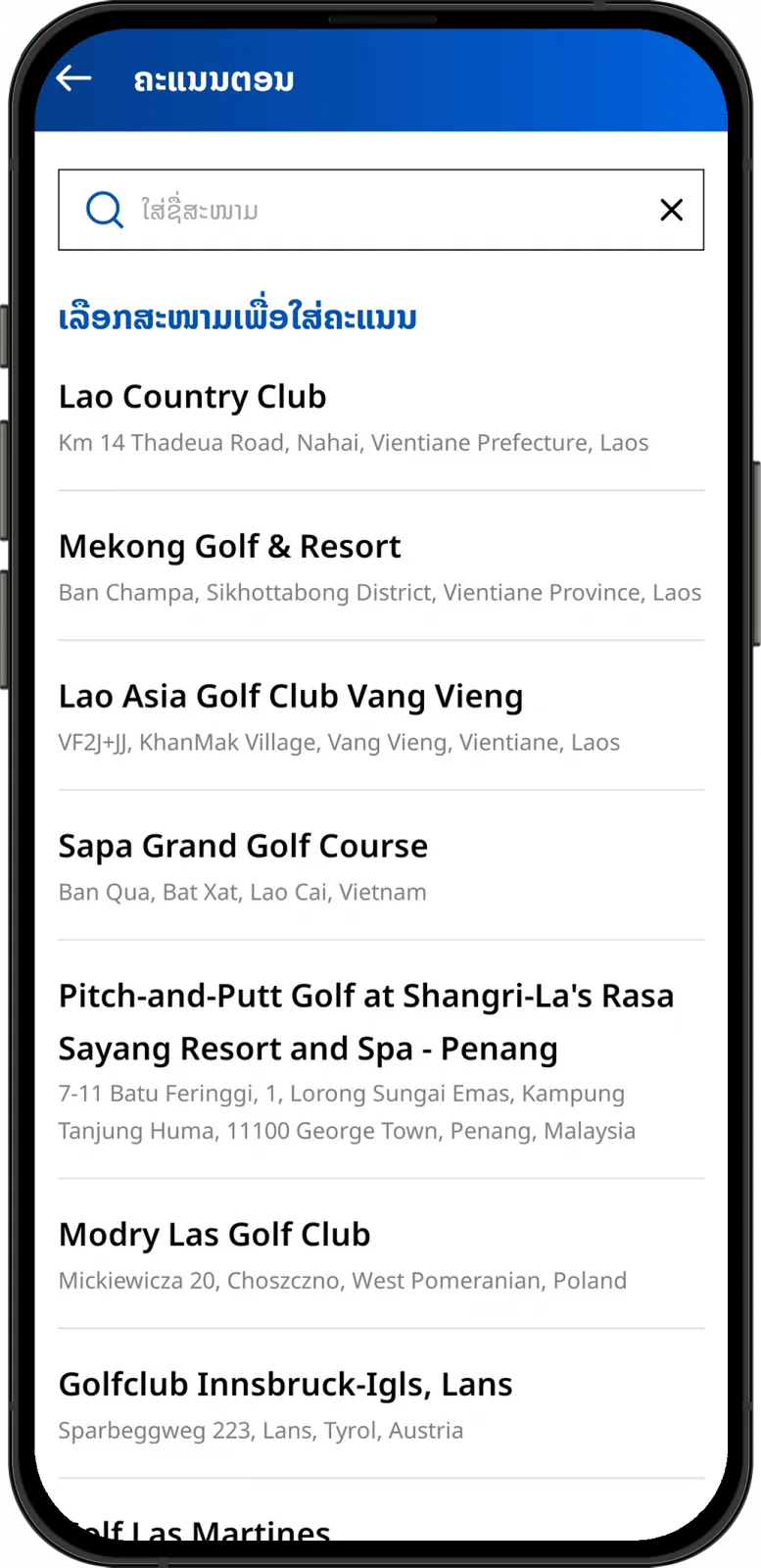
Choose a golf course.
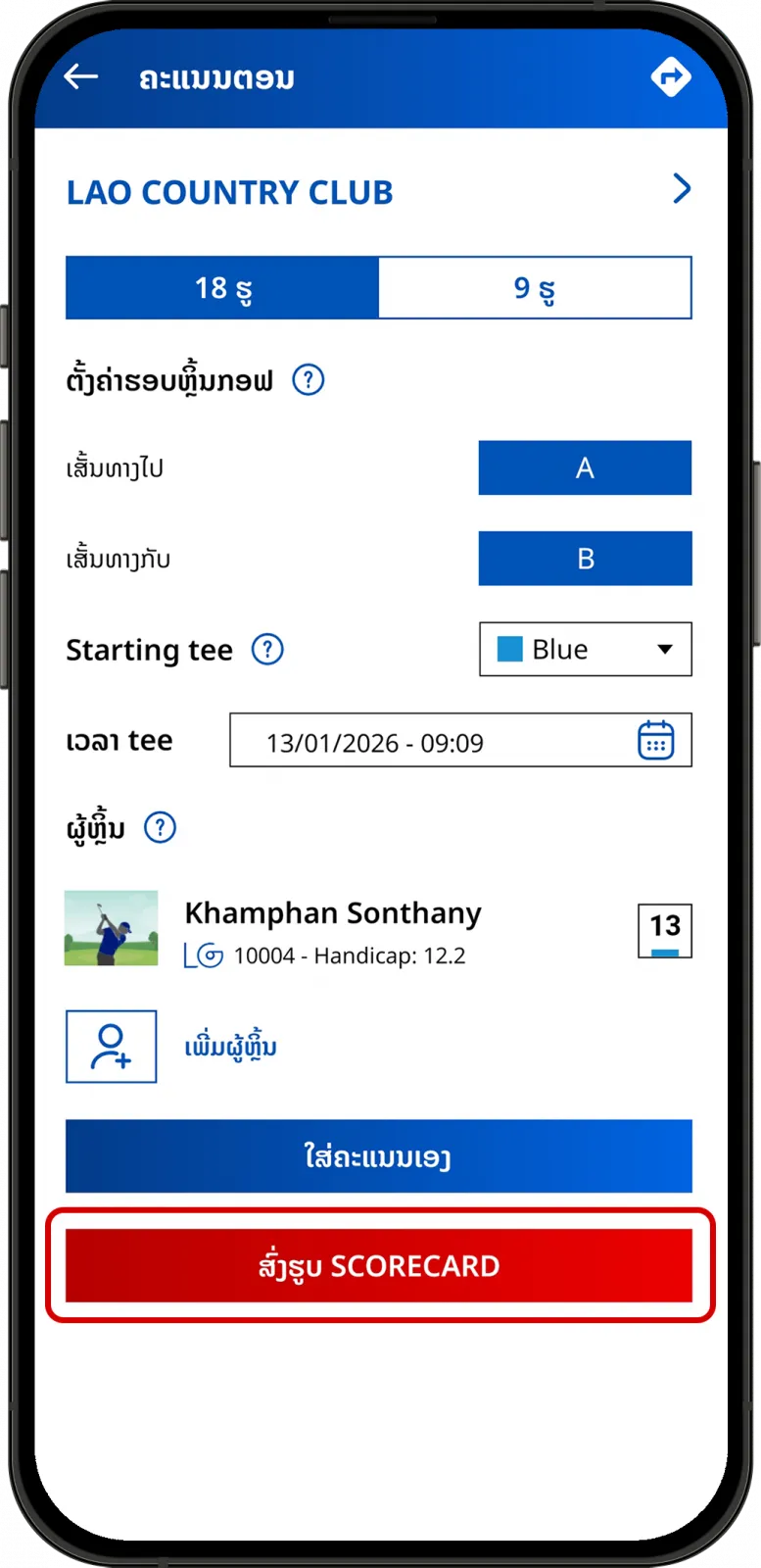
Specify your round details and tap on “
Upload Scorecard
”.
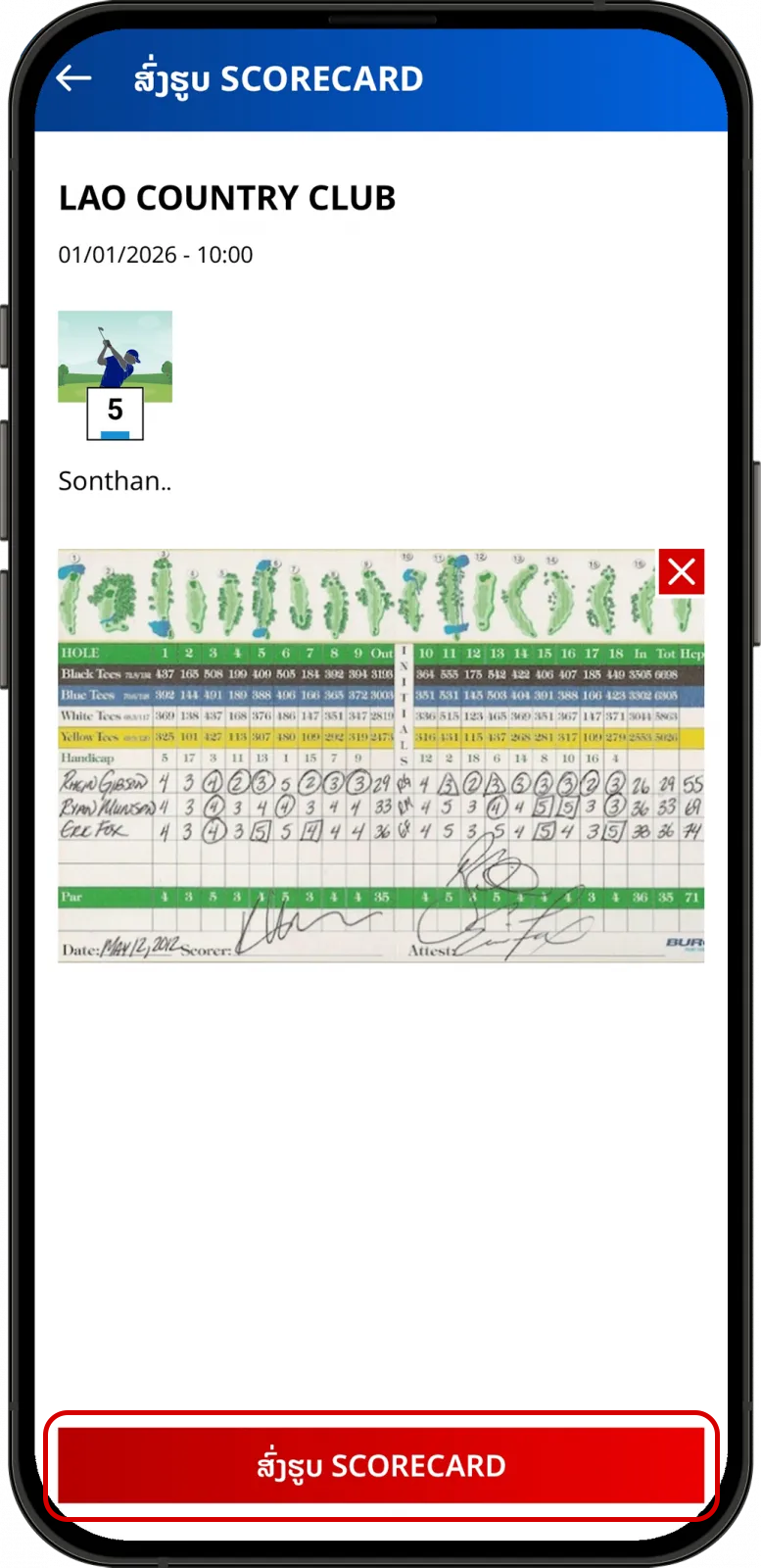
Take a photo or select a photo from your photo library.
Your scorecard has been submitted successfully, we will update your score as soon as possible.
Can't find the answers you're looking for? We’re here to
help
.
Share
this post
:
FAQs
Golf GPS
Community
Account
Apple Watch
WHS
Others