Transfer Handicap
Wed, 31 Dec 2025 11:25:08 +0700
When you create a LaosGolf account, handicap sync will help you experience the full features of LaosGolf. We support sync from:
-
From Vhandicap.
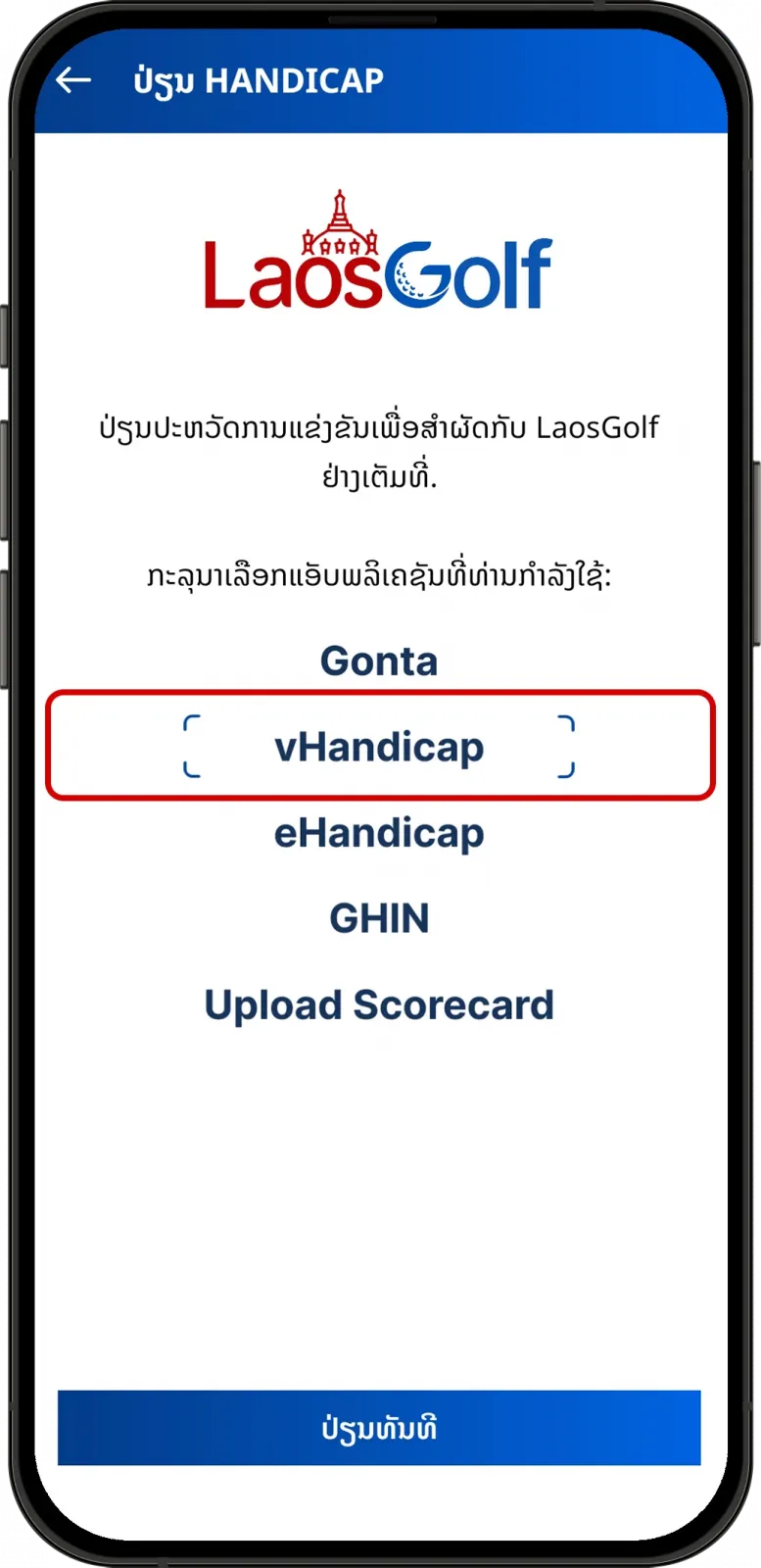
From the sync screen, tap on vHandicap then tap on “Sync Now”.
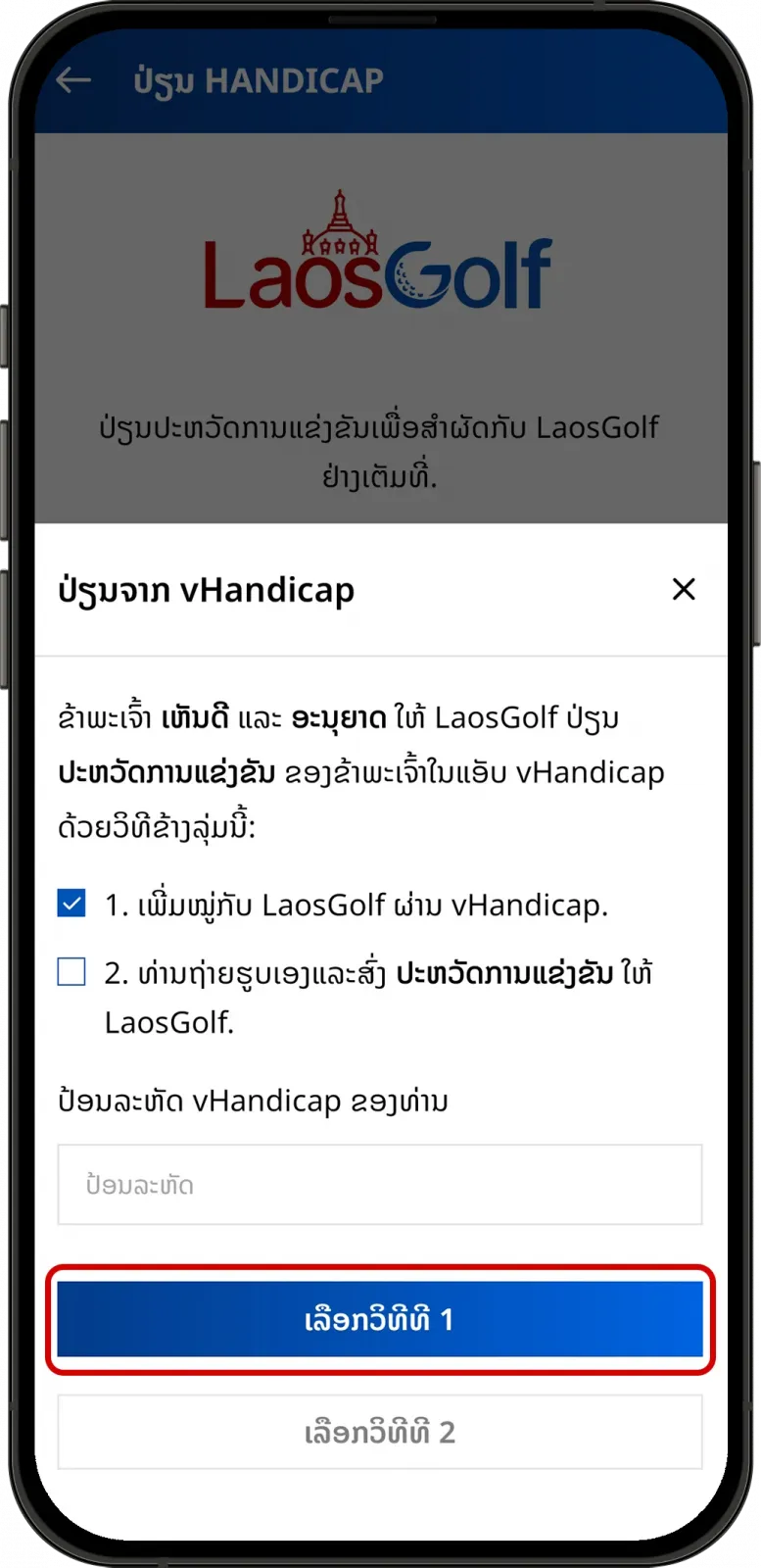
There are 2 options:
-
-
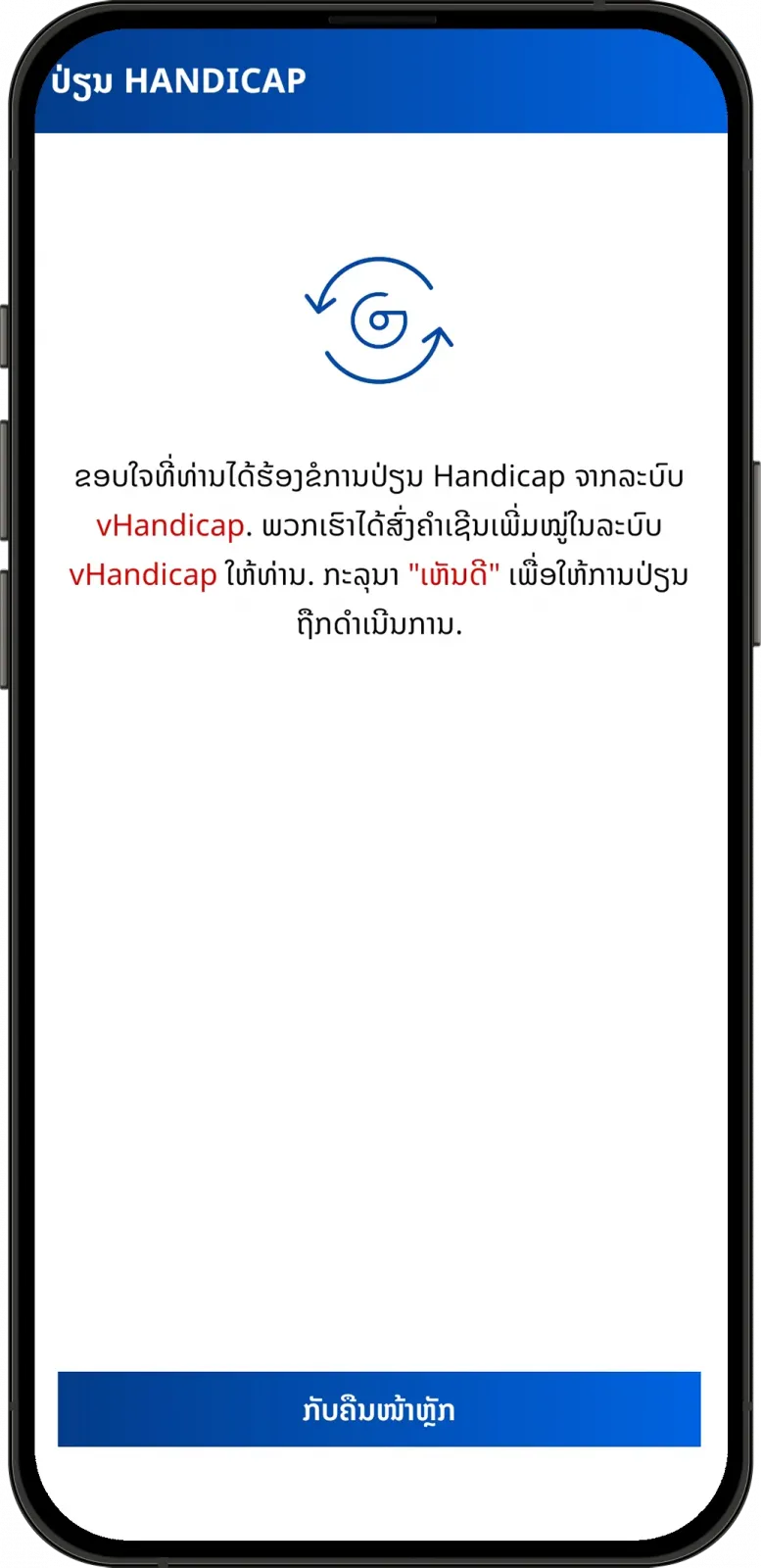
Input your Vhandicap code and tap on “Select option 1”.
-
-
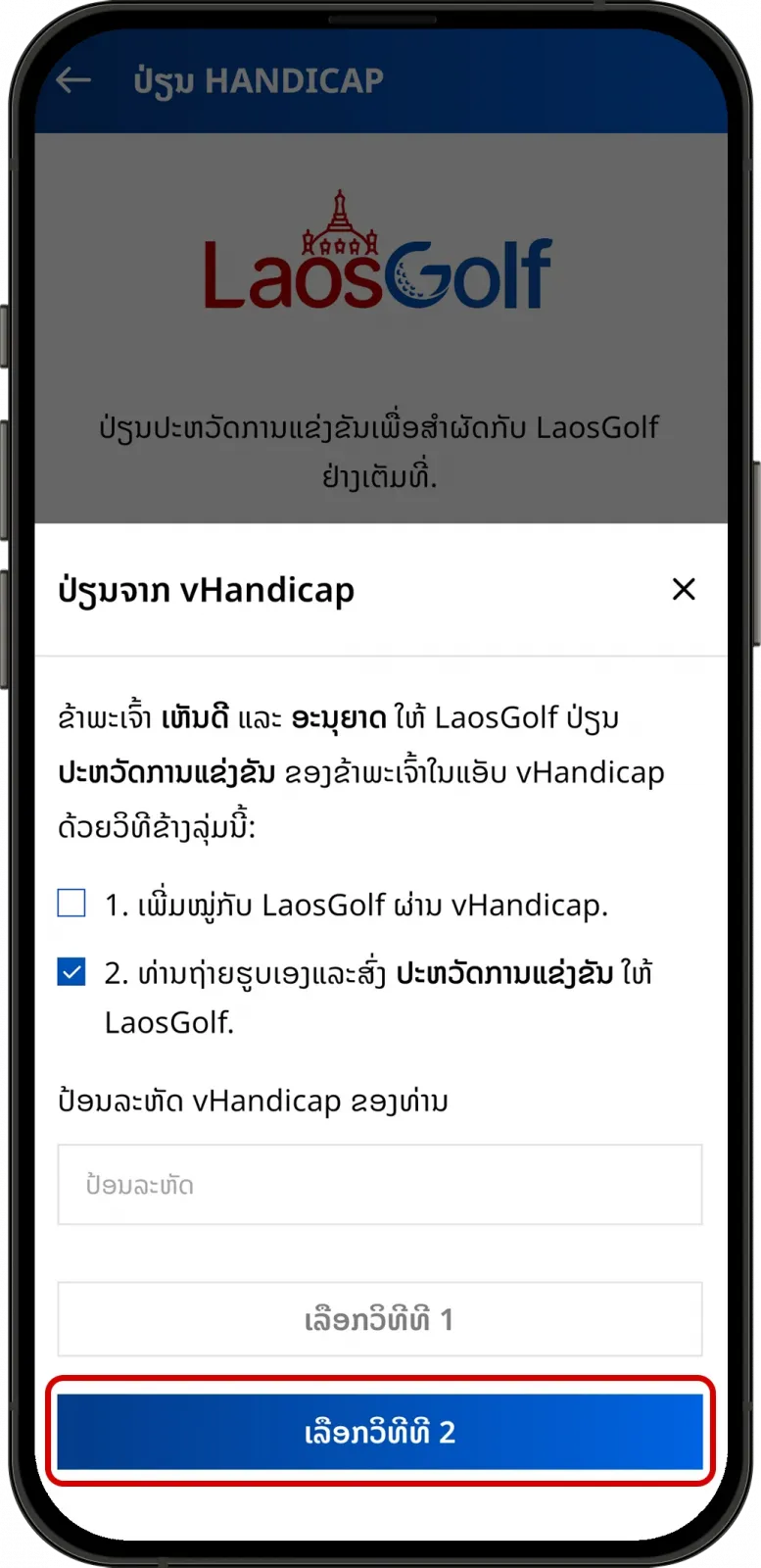
Tap on “Select option 2” to send rounds history.
-
-
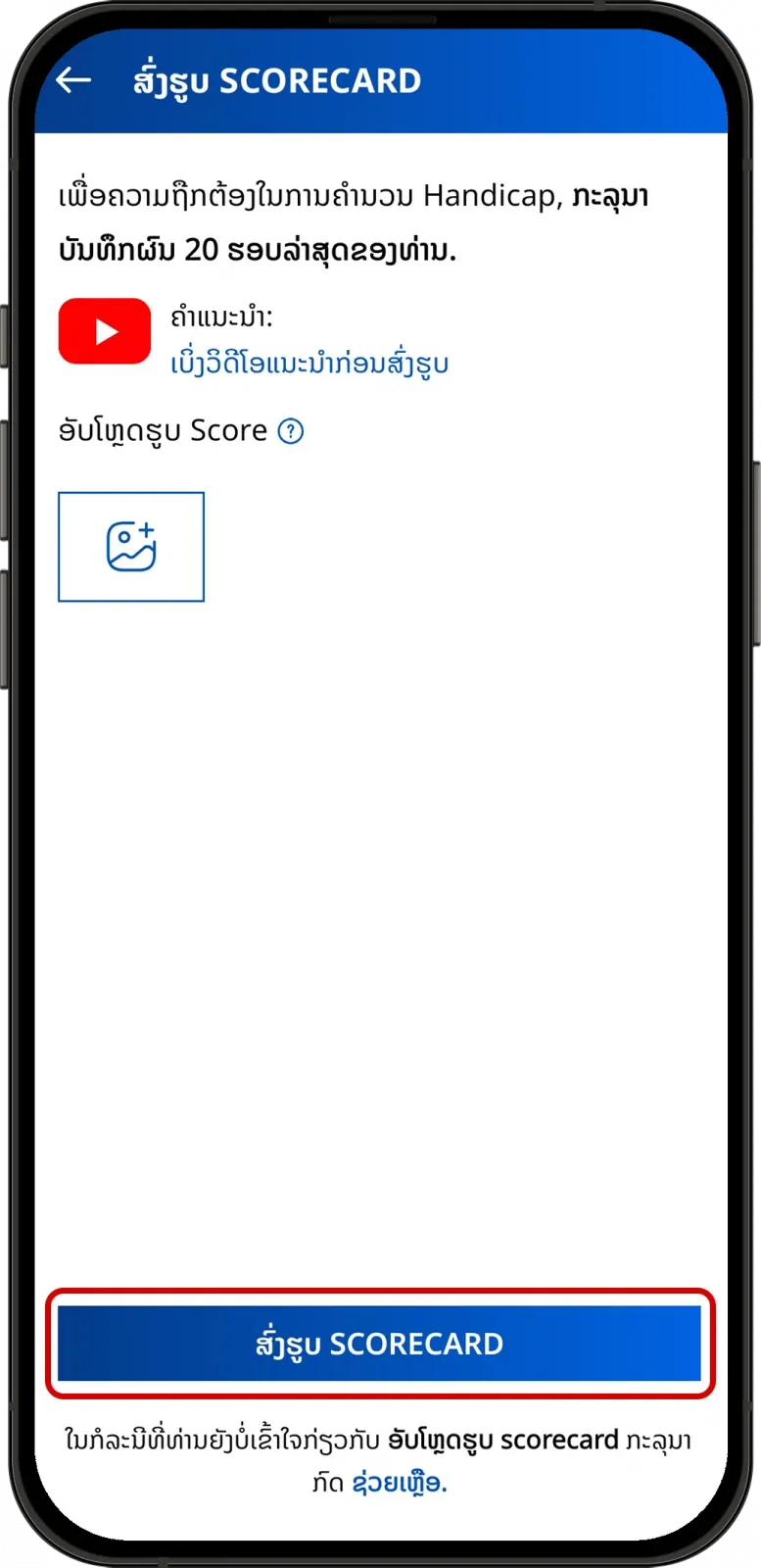
Tap on

to upload and send scorecard photo.
-
From GHIN.
-
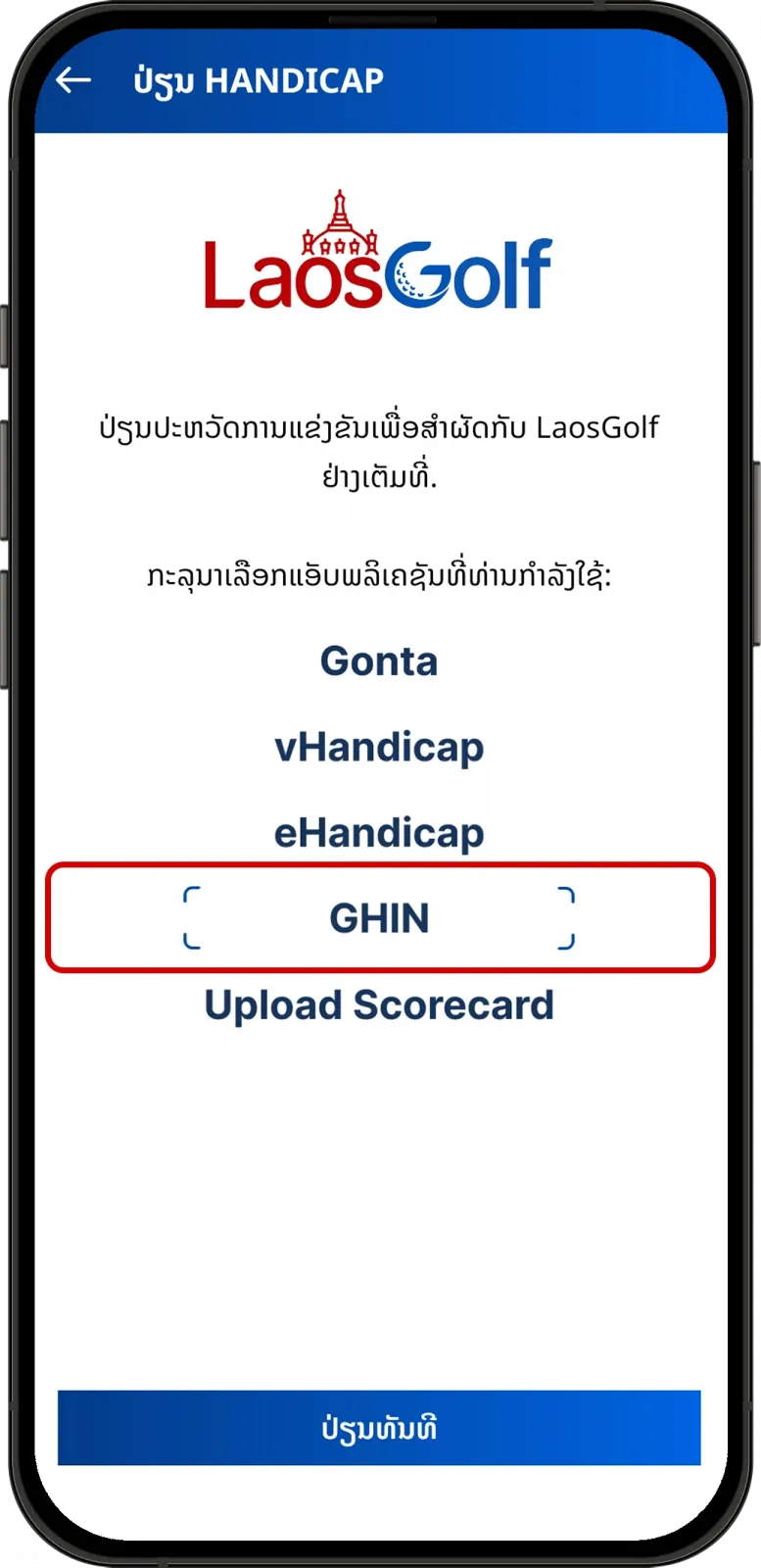
From the sync screen, tap on GHIN.
-
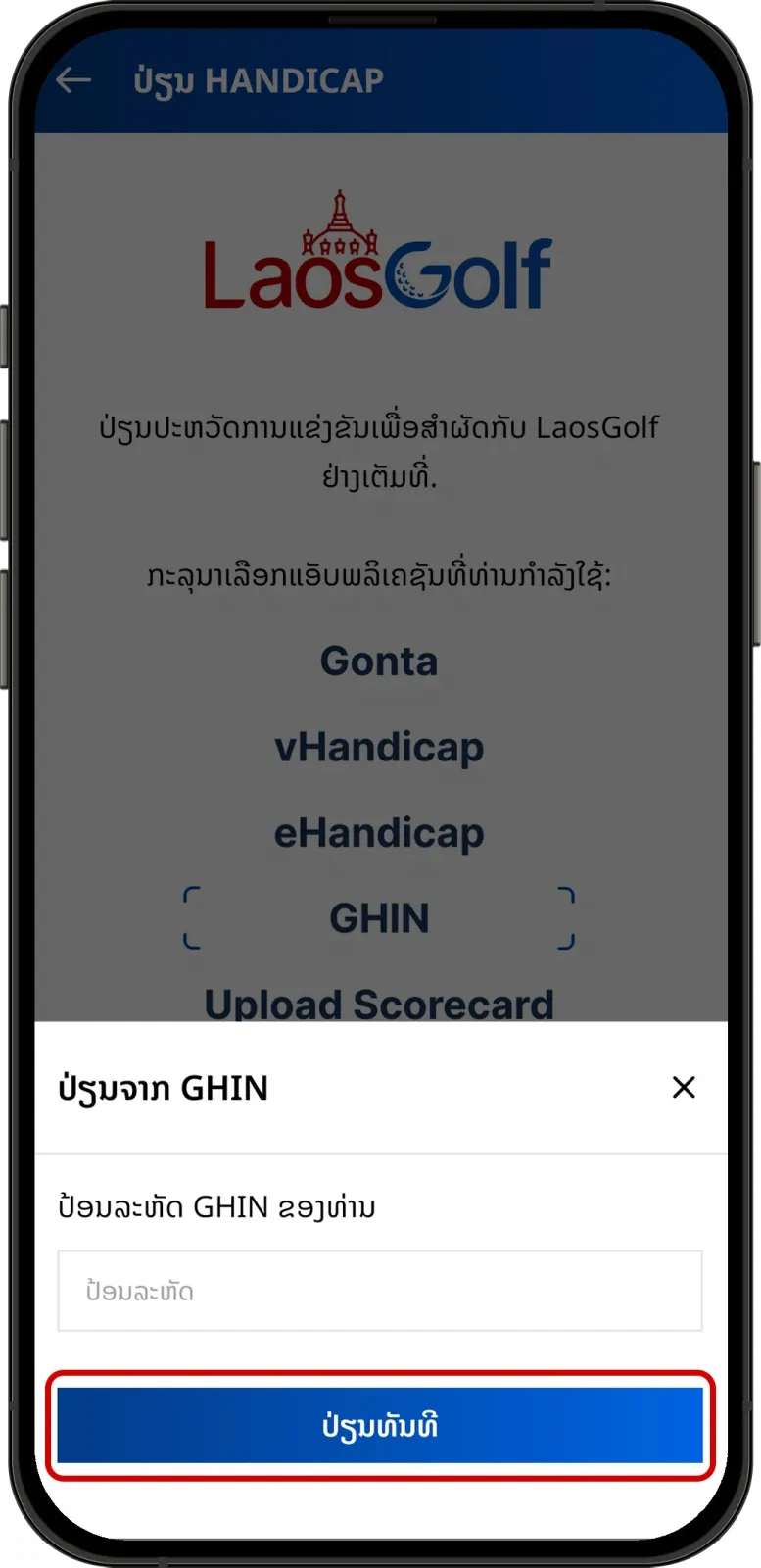
Tap on “Sync Now”.
-
Input your GHIN code and sync.
-
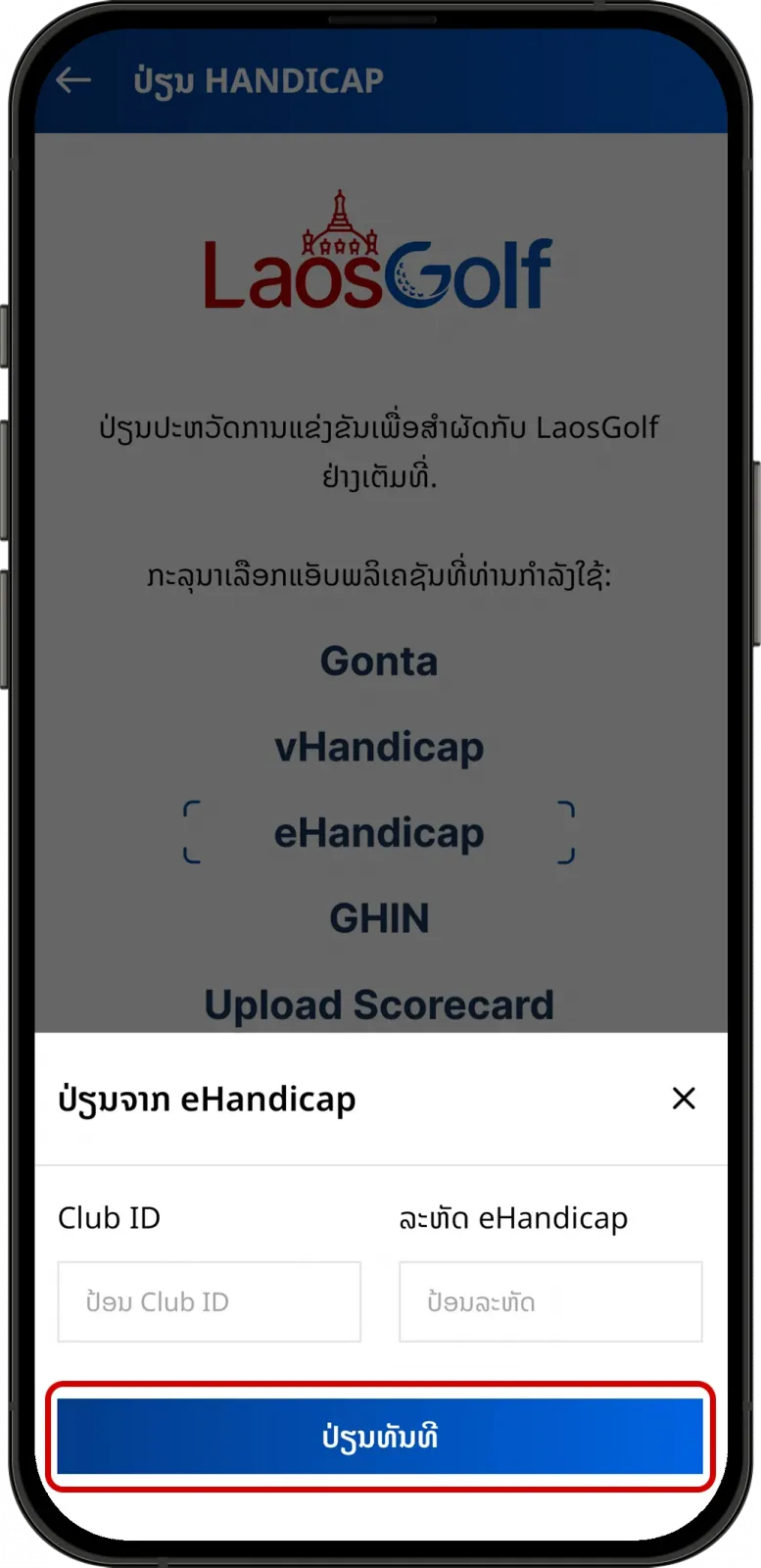
From eHandicap.
-
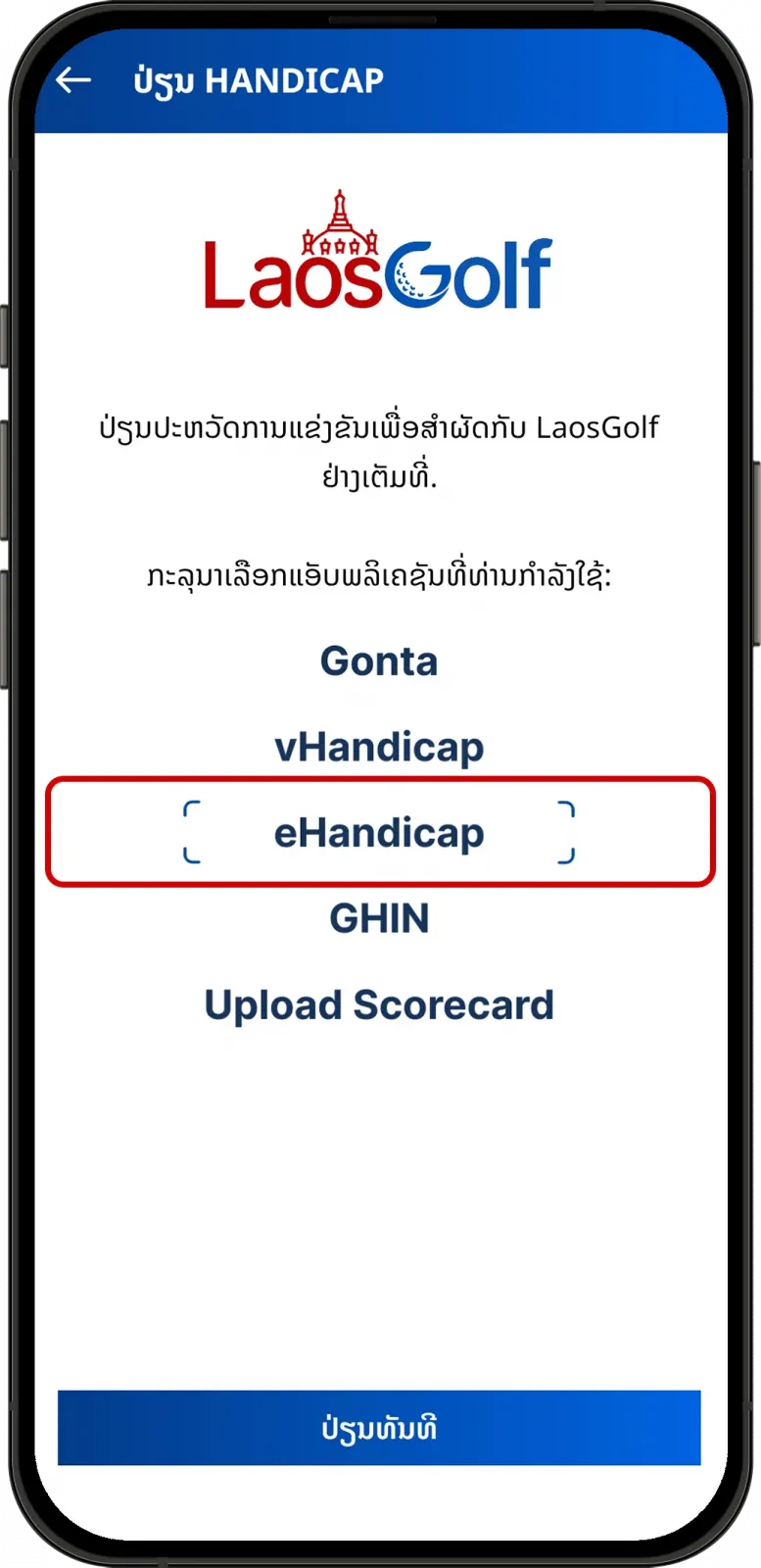
From the sync screen, tap on eHandicap.
-
Tap on “Sync Now”.
-
Input your information and sync.