Laosgolf Loading
Loading ...

Remove player when playing with GPS

Wed, 31 Dec 2025 11:26:18 +0700
After adding friends and starting a GPS round, a player may want to remove someone from the group.
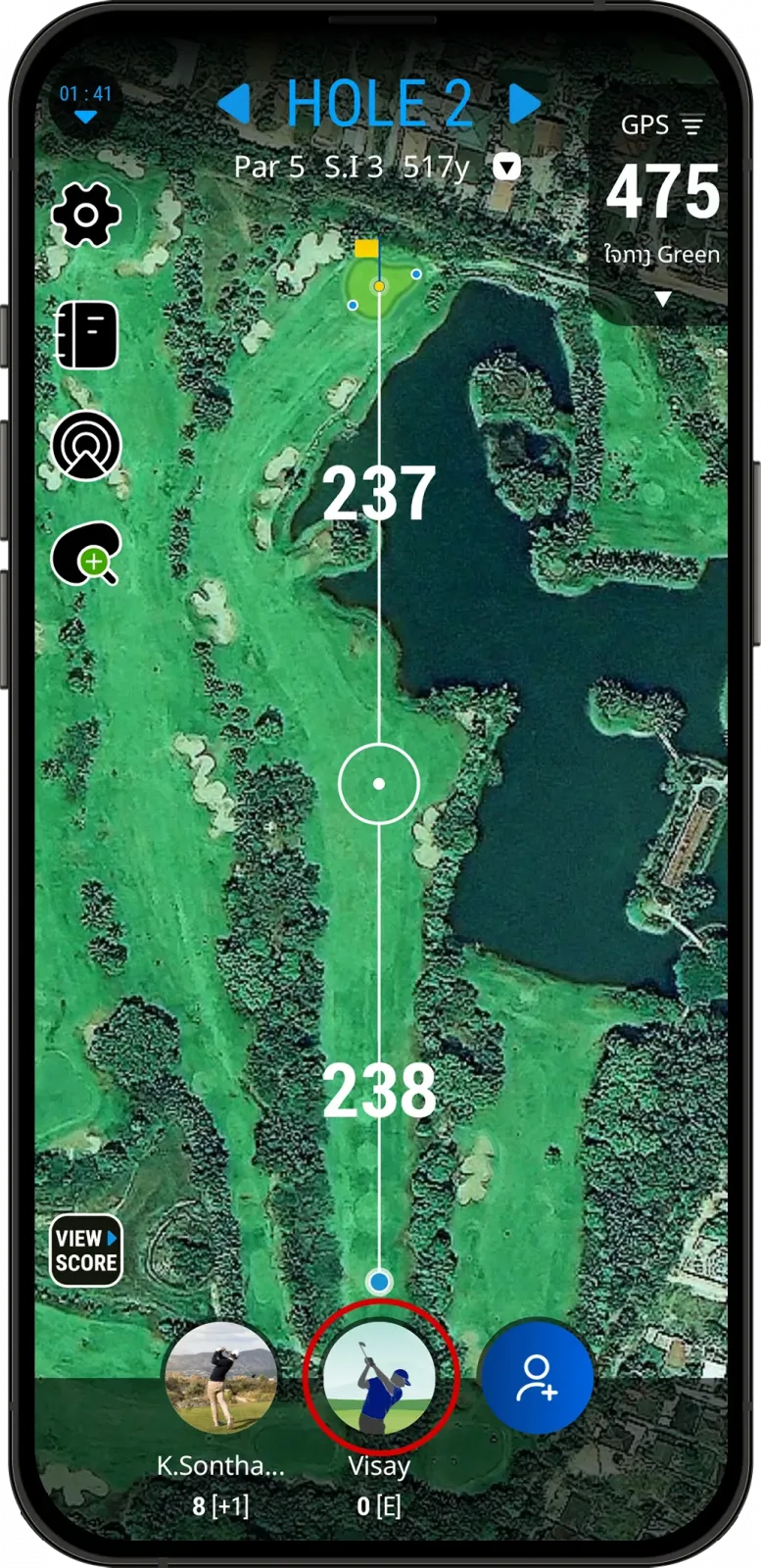
  • Tap the avatar.
Tap the player avatar during a GPS round in the LaosGolf app
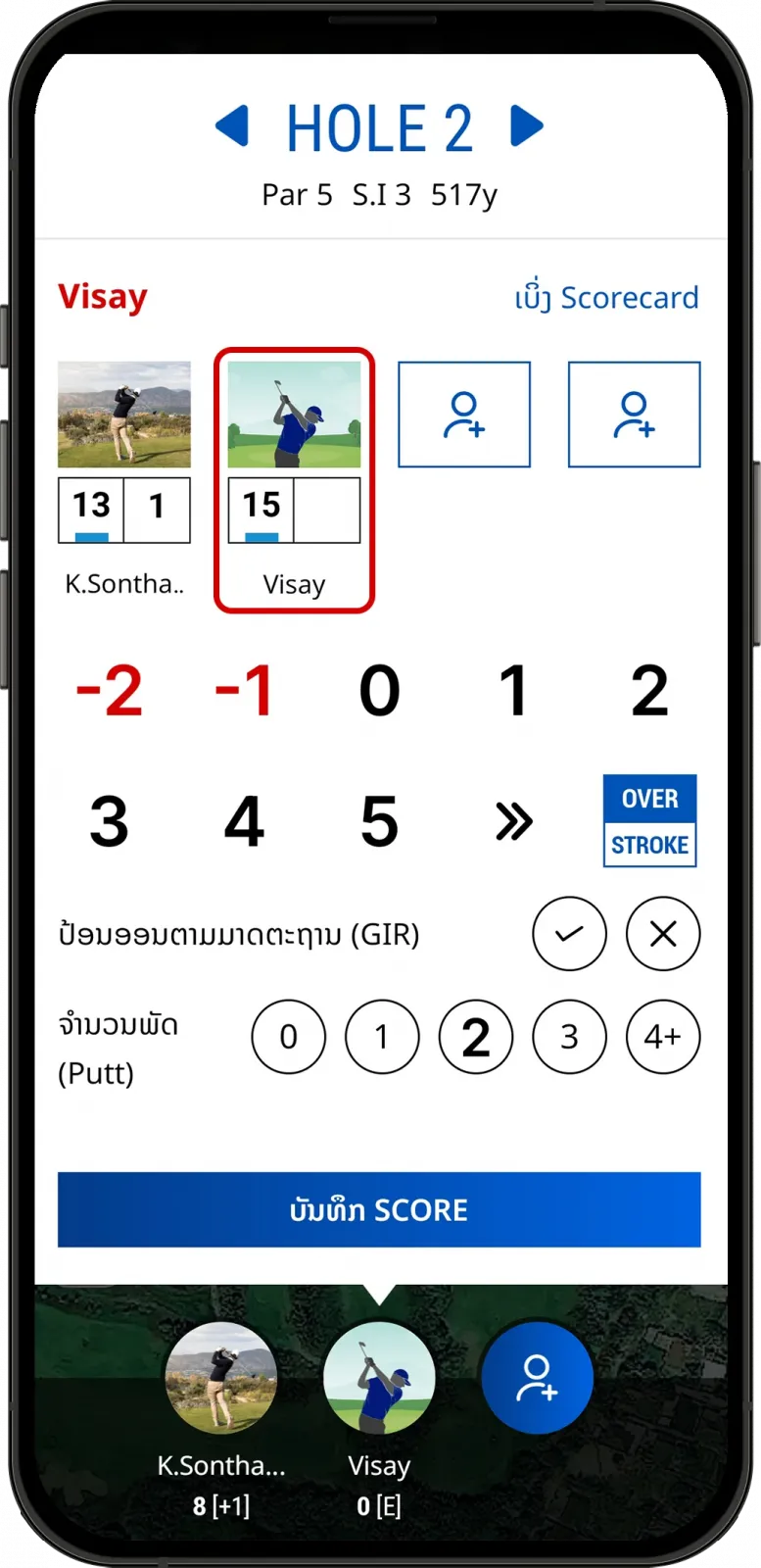
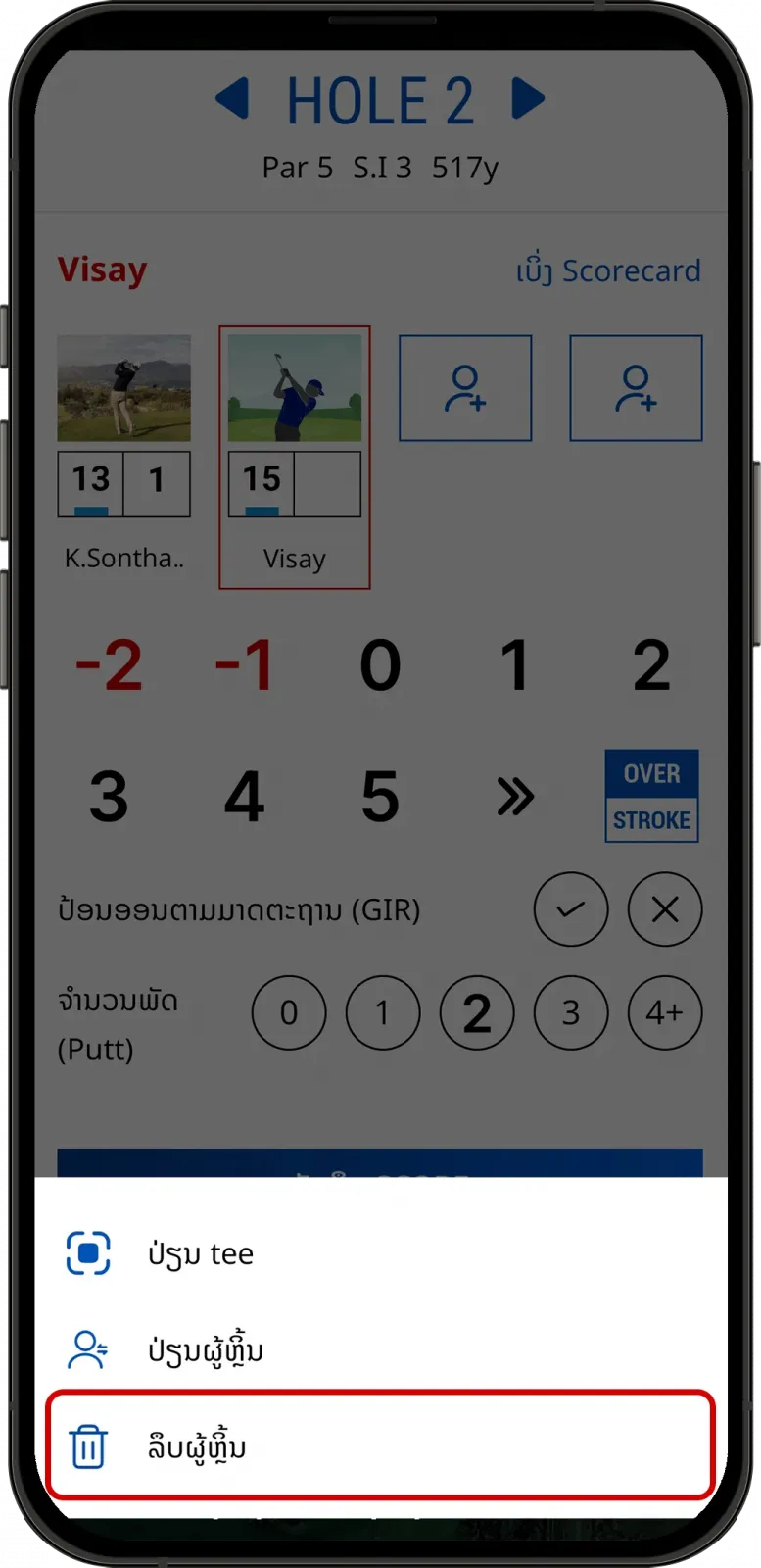
  • Tap and hold the avatar of the player you want to remove, then select “Remove Golfer”.
Tap and hold the avatar to remove a golfer in LaosGolf
Select Remove Golfer during a GPS round in LaosGolf
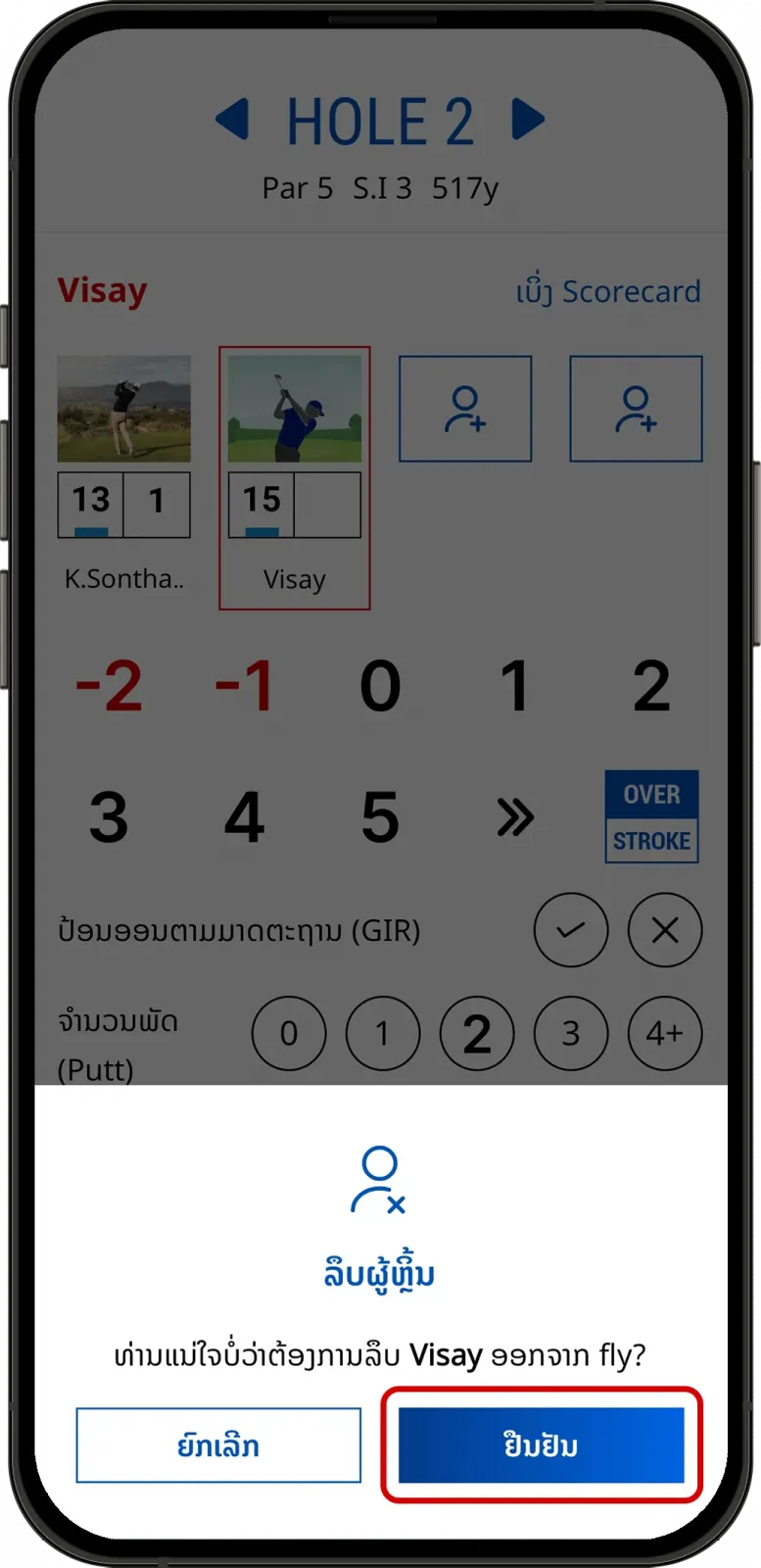
  • Tap “Confirm".
Confirm removing a player during a GPS round in LaosGolf
  • You have successfully removed the player from the group.
  • To add a player during a GPS round, see the guide here. To add a guest player, see the instructions here.
Can't find the answers you're looking for? We’re here to help.